Event Day Checklist: From Load-In to Load-Out
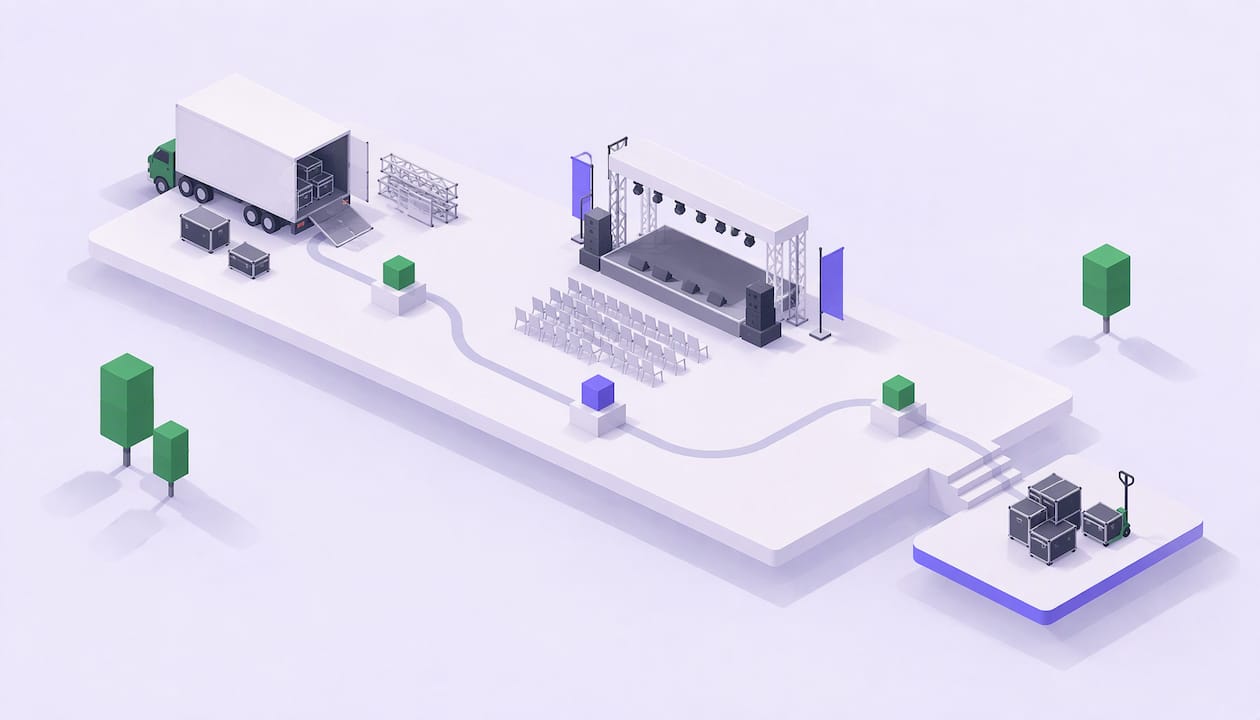
An event day checklist works when it is a timed sheet, not a loose to-do list: every task has a time, one named owner and a backup. Build it around the one moment that cannot move (doors, the ceremony or the shotgun start), work backward through setup, then forward through the program and teardown. Below is the full sequence, plus what changes for weddings, corporate events, galas, large parties and golf outings.
TL;DR
- Fix your anchor moment first (guest arrival, ceremony or first tee time), then set every other time relative to it.
- Give each line a time, an action, one named owner and a location. A line that says only “speeches” leaves people waiting on each other.
- Test everything that plugs in, walk every exit and brief your team before guests arrive, not after.
- Decide weather and failure triggers the night before, with the person who makes the call named.
- Print one current version of the day sheet, and reprint with a clear label whenever it changes.
Table of Contents
- Start with the day sheet, not the task list
- Morning: setup and load-in
- The hour before doors
- Technology, communications and weather checks
- During the event
- Adapting the checklist to your event
- Teardown and the 48 hours after
- Where Jubiliq fits in
- Our view: the sheet is only as good as its source data
- FAQ
- Sources
Start with the day sheet, not the task list
A checklist tells you what must happen. A day sheet (also called a run sheet, run of show or event run-down) tells you when, who and where. Simon Fraser University’s events office describes it as a complete chronological sequence of the day’s tasks, covering set-up, take-down, deliveries, catering, AV, entertainment, security, speakers, photography and staff roles.
A useful day sheet has five parts, according to the Event Planning Institute’s guide to writing a run sheet:
- A header with the event name, date, venue address, the planner’s mobile number and a version number, so everyone can tell whether they hold the latest copy.
- A timed schedule where each line states what a person does and who that person is.
- A contact list naming every supplier, their on-site lead and a mobile number that will be answered on the day.
- Access notes: dock hours, lift sizes, parking, the noise curfew and the time the venue needs the room clear.
- Contingency lines for rain, a late supplier or a no-show speaker, with the person who makes the call named.
The same source recommends writing cues as pairs: who gives the signal and who receives it. “MC cues DJ for first dance” is a cue. “First dance” is a heading.
One more habit saves arguments. Texas Old Town suggests separate versions for vendors and VIPs: the vendor copy carries movements, setup, cues and contingencies, while the VIP copy shows only arrival points, private-room access and the moments they attend. Keep one master, update it first, then produce the others from it.
If you want a deeper walkthrough of building the sheet itself, our guide on why you should lock your run of show 48 hours before doors covers the timing, and the gala program timeline shows the same idea over a longer runway.
Morning: setup and load-in
This is the block where most surprises surface, so give it more time than feels necessary. Texas Old Town recommends 10 to 15 percent buffer time and empty pockets of 15 to 20 minutes in the schedule to absorb delays. Put the largest pockets around load-in and any transition before food service or formalities.
Venue and room
- Walk the venue with the venue contact. Photograph any existing damage before your vendors touch anything.
- Confirm the room layout, the loading dock, the trash location and the time the room must be clear.
- Lay out the room with aisles kept clear. Post signage for entrances, accessible routes, restrooms and registration.
- Walk every exit and confirm each is unlocked and unblocked.
Vendors and deliveries
- Confirm each vendor’s arrival window by phone, not by email. Give each one an entrance, an unloading point and a parking spot.
- Check that catering has arrived, and locate water and trash points.
- Sign for deliveries and note any shortfall on the spot.
Vendor no-shows are far easier to survive when you have the contracts and contact details at hand. Our guides on event vendor management and putting catering duties in writing cover what to settle before the day.
Guest data
- Print the final guest list, with table numbers if you are seating guests. Three copies is a sensible number: one at registration, one with the lead and one spare.
- Confirm the final headcount with the caterer, including dietary counts and any complimentary guests.
- Charge every device you will rely on: tablets, card readers, radios, phones and the AV laptop.
The printed list is not a sign of weak technology. It is the backup that keeps the line moving if Wi-Fi drops at registration.
The hour before doors
This is when you stop setting up and start rehearsing.
- Brief the team. Plan a short briefing covering each person’s post, who their supervisor is and who calls the shots. A fundraising-gala checklist from Kause suggests about 20 minutes with station sheets for volunteers, which is a workable benchmark for a large crew.
- Assign a runner. ZWEvents recommends keeping a flexible “runner” free for last-minute errands, supply pickups and stepping in wherever needed. Do not give the runner a fixed station.
- Test registration. Run test check-ins on the live list, including one guest who is not on it, so your team has practiced the awkward case before a real one arrives.
- Do a final exit and accessible-route walk about 60 minutes before doors.
- Confirm your communication plan. Radios, a group chat or both, with channels assigned and spare batteries on hand.
Technology, communications and weather checks
The checks below come from production crews, who run them for a living. Scale them to your event: a backyard wedding needs a speaker and a mic test, a ballroom gala needs the full list.
Communications. NextLevel Production Services advises confirming that every operator is on comms, channel assignments are set and runner radios have charged batteries and spares. AV Labor Source adds a practical test: a missed cue can look like an audio or video fault when the real problem is that the right person never heard the instruction. So check that every role that depends on a cue can hear it and answer.
Tech. The same NextLevel checklist calls for an audio line check of every input and output, wireless mic batteries swapped when they drop below 50 percent, lighting cues run in order, and critical power loads on protected circuits. If you stream or record, watch the stream from a separate device.
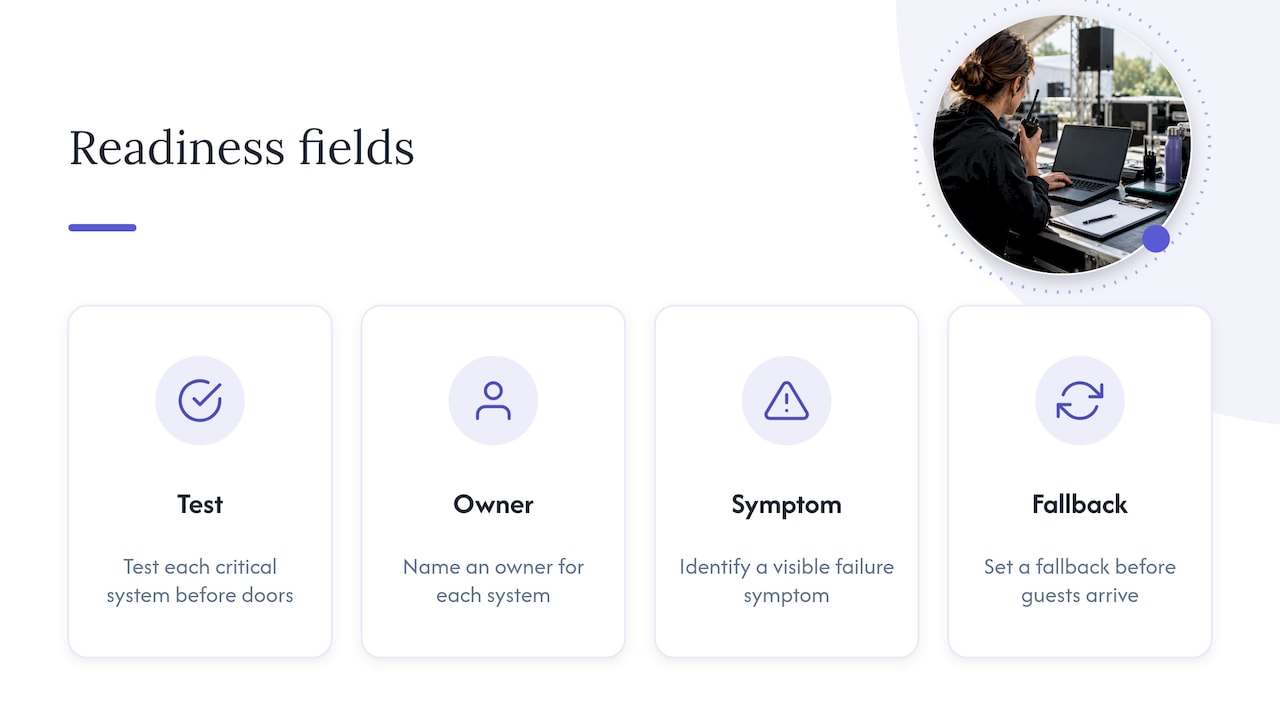
One test per critical system. AV Labor Source suggests that before doors open every critical system has four things: a test, a named owner, a visible failure symptom and a fallback. Try it for your microphone, your projector or screen, your registration devices and your power. If any of the four is missing, fill it before guests arrive.
Weather. Confirm the forecast and your outdoor triggers the night before. NextLevel’s approach is to define wind, rain or temperature thresholds in advance, with pre-defined moves attached (cover gear, pause the program, clear the stage). Name who watches conditions and who can call a stop. For temporary structures such as tents and stages, that decision should never be improvised.
Contingency triggers. Decide these before the program starts, not during a crisis: a backup microphone swap, a planned hold message if playback dies, a safe power restart sequence, and a rule that any slip of five minutes goes to one named lead.
During the event
Once doors open, your job shifts from building to steering.
- One caller. One person runs cues against the clock. The GEiCO run-of-show template recommends routing all event-day changes through the show caller, who works from a single current version.
- Clear calling language. The same template defines four words: STANDBY prepares the next action, GO authorizes it, HOLD pauses it and CLEAR confirms it is done. Agreeing on these in the briefing prevents mixed signals on a radio.
- Speaker liaison. Assign one person to speakers. ZWEvents recommends a dedicated liaison, and a good habit is to tell each speaker “you are on in five” five minutes before their slot.
- Registration staffed, with a printed backup. Watch the line. If it grows past what your team can clear before the program starts, move a floater to help.
- Crowd flow and exits. Keep an eye on bottlenecks at the bar, the doors and the restrooms.
- An incident log. Record time, place, what happened and who responded. It takes 30 seconds and helps with every later conversation with the venue or a vendor.
- Guest updates. If timing changes, tell guests in the way you promised in your invitations, whether that is an announcement, an email or a text.
For VIPs, a named host who meets them at a set arrival point removes most problems. See our VIP guest management playbook for the details.
Adapting the checklist to your event
The skeleton stays the same. What dominates the day changes. The Institute of Event Management notes that the phases are constant across event types, but weddings carry higher emotional stakes and a longer, more hands-on day, corporate events are dominated by registration and sponsors, and fundraisers combine gala logistics with sales pressure.
Weddings and large parties
Your anchor is usually the ceremony or the first guests arriving. Add these to the core list:
- Hand a single contact list and day sheet to a trusted person who is not the couple or the host, so questions never reach you.
- Time the photo blocks, toasts, first dance, cake and send-off as named lines with owners.
- Give the florist, caterer, DJ and photographer arrival windows, and give the venue the full vendor list.
- Keep dietary and seating changes in one place, and print the final seating chart.
On a budget, the time you save is the money you save: a late vendor or an overrun on venue hours is where costs creep in.
Corporate client events
Build around registration, speaker movement and sponsor commitments. Add a readiness check: agenda approved, speaker list verified, presentations received, videos tested, names checked on screens, microphones allocated and livestream access tested. For the planning that comes before this day, our phase-based corporate event checklist covers the earlier stages.
Fundraising galas
Galas add money handling to the logistics. Kause’s gala checklist suggests exporting the guest list to every check-in device and confirming that it opens offline, rehearsing the live appeal with the auctioneer, spotters and AV, recording every pledge card that night with donor, amount and level before the finance desk closes, and having the cash box counted by two people, signed and sealed. Thank sponsors by name from the stage as well as in print.
Golf outings
Anchor everything to the horn. Groovy Golfer’s day-of playbook, built around a 9:00 AM shotgun start, gives a sample timeline:
| Time | Task |
|---|---|
| 6:30 AM | Staff arrive, set up check-in and contest holes |
| 7:30 AM | Check-in opens (90 minutes before the horn) |
| 8:00 AM | Range and breakfast open |
| 8:30 AM | Carts staged in reverse order |
| 8:45 AM | Carts released after pre-round announcements |
| 1:00 PM | First groups finish, lunch opens |
| 2:00 PM | Awards |
| 2:45 PM | Breakdown |
The same playbook suggests one volunteer for every 8 to 12 players and one cart for every two players, and agreeing a lightning-hold horn signal with the course before anyone tees off. Keep awards to 30 to 45 minutes and score while guests eat.
Teardown and the 48 hours after
The event is not over when the music stops. Plan the last hour as carefully as the first.
- Final announcements and a thank-you to guests, volunteers and sponsors.
- Lost property, logged with where and when each item was found.
- Load-out briefing: who removes what, by when, and which vendor equipment goes back to whom.
- Venue reset according to its rules, then a final walkthrough and key return.
- Count and collect devices, rentals and cash against your morning lists.
- A 15-minute team debrief while details are fresh, with notes taken by one named person.
- Follow-up within days: thank-you emails, a short survey, sponsor acknowledgments, vendor feedback and budget reconciliation.
Finally, update the checklist with what you learned. The next event begins with a better sheet than this one did.
Where Jubiliq fits in
Most of this checklist depends on information that has to be right on the day: who is coming, what each person ordered, which vendor arrives when, and what has been paid. Jubiliq keeps guest lists with RSVP tracking, vendor and contract management, task scheduling and budgeting in one place, and produces a printable day sheet you can hand to your team. Its planning interface adapts to the type of event, so a wedding sees wedding tools and a golf outing sees golf tools, with irrelevant options hidden.
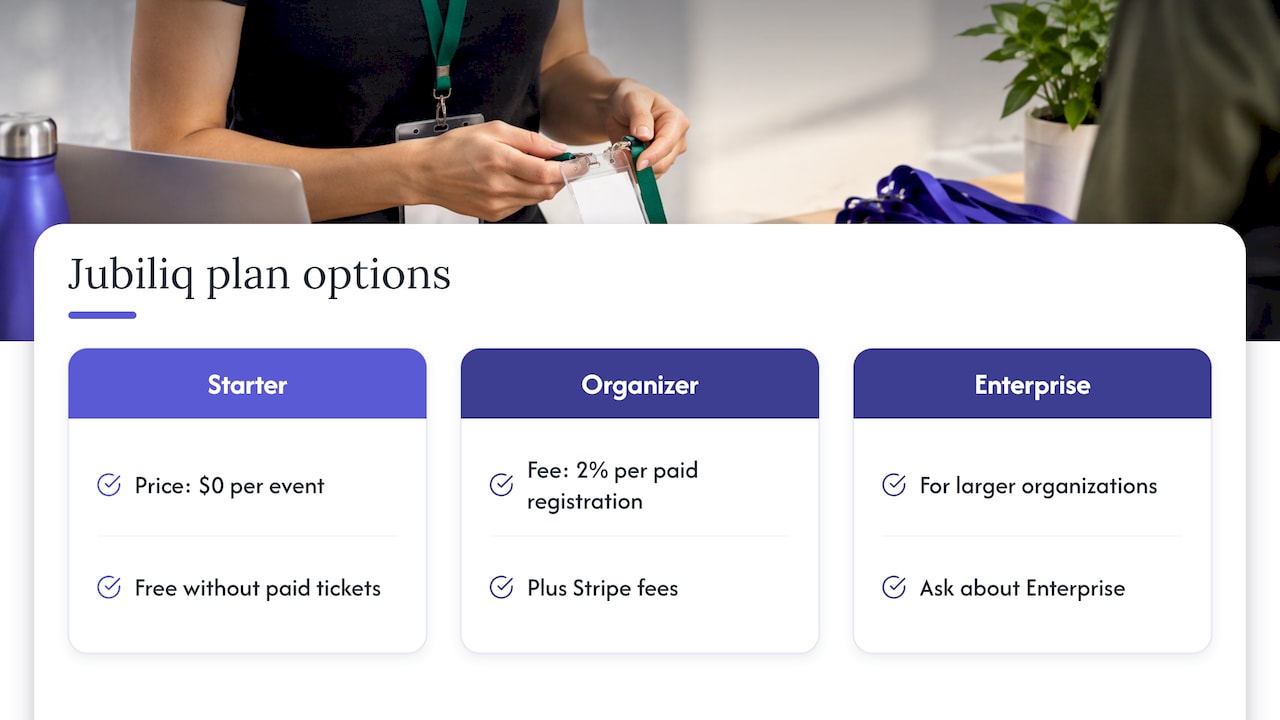
The Starter plan is $0 per event, and events without paid tickets, such as weddings, parties and planning-only events, are free. If you sell tickets, registrations or sponsorships, the Organizer plan charges 2% per paid registration plus Stripe fees. Larger organizations can ask about Enterprise. See the plans on Jubiliq.
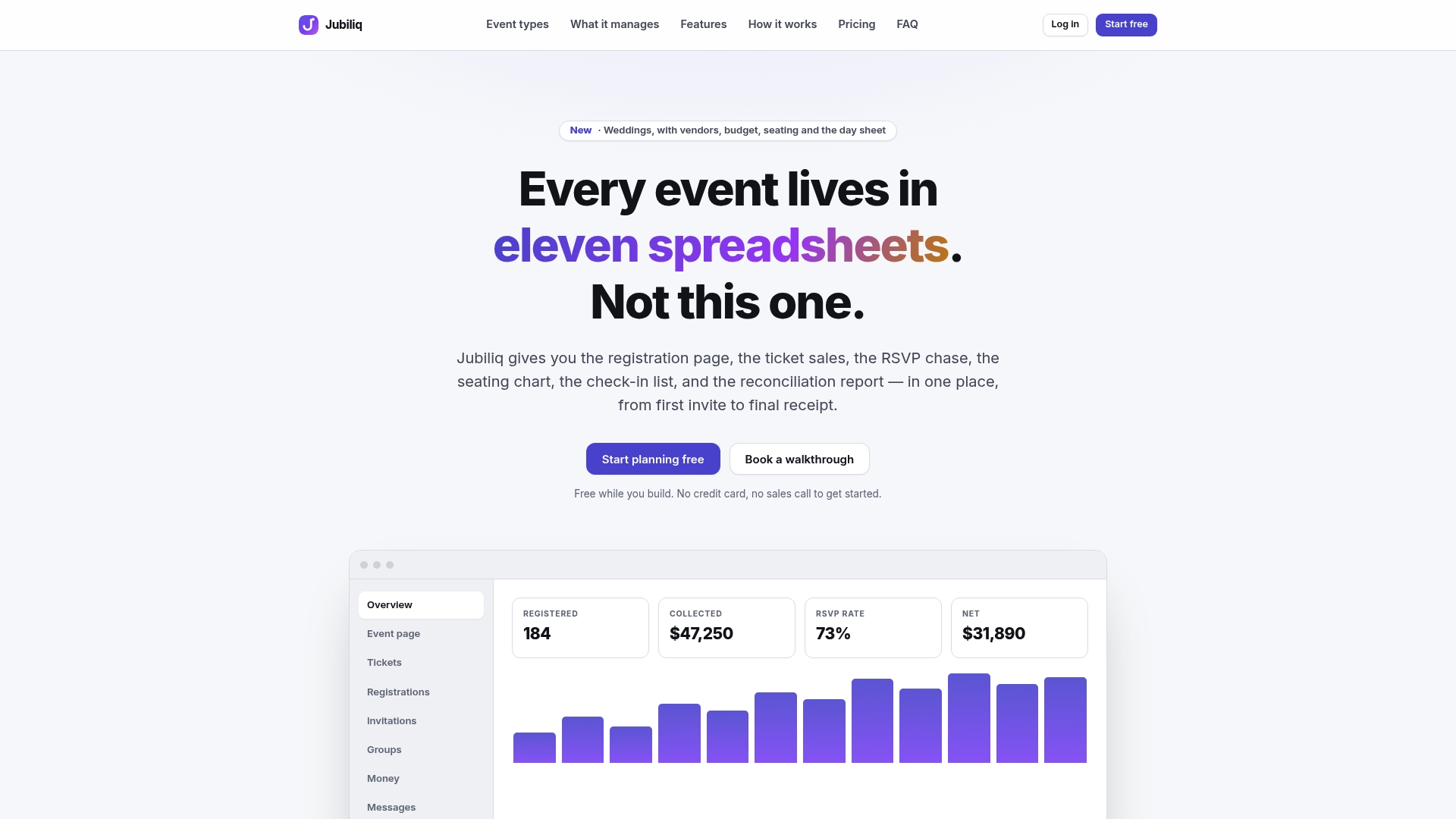
Because guest data, vendors and tasks live together, real-time progress dashboards show where things stand, and a CSV export gives your accountant what they need afterward. If your guests need a clear message before the day, our guest communication plan shows how to keep RSVPs and updates in sync.
Our view: the sheet is only as good as its source data
We see the same pattern in how event days go wrong. It is rarely the big thing. It is the guest count that changed after the caterer was told, the vendor whose arrival time lived in one person’s inbox, or the printed list that is two versions old.
That is why we built Jubiliq so that the day sheet is produced from the same place you manage guests, vendors, tasks and budget, instead of being a separate document someone has to rebuild the night before. When a guest declines or a vendor changes, the sheet reflects it.
We also built the interface to adapt to the event. A bride on a budget should not wade through ticketing options, and a golf outing host should not see wedding seating. Hiding what you do not need leaves more attention for what matters on the day: your team, your guests and your timing.
Our advice is simple. Fix your anchor moment, name an owner for every line, and keep one master version. The tools should make that easier, not add another thing to maintain.
HCRF
FAQ
What should be on an event day checklist?
Cover four phases: setup and load-in, the hour before doors, the event itself and teardown. In each, list the task, the owner and the time. Include venue walkthrough, vendor arrivals, guest list copies, tech and comms tests, exit checks, a team briefing, an incident log and a load-out plan.
How far ahead should I make the event day schedule?
Build the draft well before the event and lock it close to doors. Our run-of-show guide recommends locking 48 hours before, while a larger gala benefits from locking the program about two weeks out. After you lock it, route changes through one person and reprint with a clear version number.
What is the difference between an event day checklist and a day sheet?
A checklist lists what must be done. A day sheet puts those tasks on a timeline with an owner and a location for each, plus contacts, access notes and contingencies. Most events need both, and the day sheet is the one you hand to your team and vendors.
How much buffer time should I build in?
Texas Old Town suggests 10 to 15 percent buffer overall, with empty pockets of 15 to 20 minutes. Put the larger buffers around load-in and before formalities, food service and venue curfews, where delays tend to compound.
Do I need an event day checklist for a small party?
Yes, a shorter one. Even a backyard event benefits from a start time, a list of who is bringing or delivering what, a weather plan and a cleanup owner. Jubiliq’s planning functions are free for events without paid tickets.
Sources
- Day-of planning, Simon Fraser University Ceremonies and Events
- How to Write an Event Run Sheet, Event Planning Institute
- Event Day Schedule Template, Texas Old Town
- The Ultimate Event Day Checklist, ZWEvents
- Day-Of Event Operations Checklist, NextLevel Production Services
- Live AV Show Readiness Checklist, AV Labor Source
- Corporate Event Run of Show Template, iVENTS by GEiCO
- Golf Outing Day-of Logistics, Groovy Golfer
- What Does an Event Planner Do?, Institute of Event Management