Lock Your Wedding Guest List and Export Vendor Ready RSVPs

Lock Your Wedding Guest List and Export Vendor Ready RSVPs
Set your maximum guest count first, using your budget and venue capacity. That single number drives every other decision. Once you have it, sort names into three tiers so cuts feel like policy instead of rejection, then move straight into RSVP tracking so nothing slips through before final headcounts are due to your caterer.
TL;DR:
- Setting a maximum guest count based on your budget and venue capacity prevents overspending and keeps the planning process manageable.
- Sorting guests into three tiers ensures non-personalized cuts, with tier 1 including family and close friends, and tier 3 reserved for optional or obligation-driven invites.
- Clear plus-one policies should be defined early, typically including partners of engaged or long-term guests, while singles without designated partners get no automatic plus-one.
- Using dedicated platforms like Jubiliq consolidates guest list management, RSVP tracking, and budget calculations into one interface, reducing errors and manual effort.
- Establishing firm rules and deadlines upfront minimizes later conflicts and makes guest list adjustments more defendable and less stressful.
Table of Contents
- How to Calculate Your Maximum Wedding Guest List Count
- Build a Tier System Before You Cut a Single Name
- Who Actually Gets a Plus-One (and How to Say So)
- When to Mail Invitations and What to Do About Stragglers
- The Fields Every Guest List Needs, and When a Spreadsheet Stops Being Enough
- Handling Family Pressure Without Blowing Your Cap
- Where Coworkers and Casual Friends Fit on the List
- How Jubiliq Keeps Your Guest List and RSVPs in One Place
- Try Jubiliq for Your Wedding Guest List and RSVPs
- A Rule-Based Approach Beats a Feelings-Based One
- Sources
- FAQ
How to Calculate Your Maximum Wedding Guest List Count
Your guest list size isn’t a feeling. It’s math you can do in five minutes.
Start with the formula: total budget minus fixed costs equals your guest budget. Divide that guest budget by your estimated cost per guest, and you get your maximum guest count. Fixed costs are the expenses that don’t move with headcount: your dress, the DJ’s flat fee, photography packages, the officiant. Everything else, from catering to rentals to favors, scales per person.
Statistic Callout: The average U.S. wedding cost per guest ran about $292 in 2025, and guest count is the single biggest lever on your total spend. Set the number before you start pricing vendors, not after.
Here’s the formula in action:
- Couple A: $35,000 total budget, $15,000 in fixed costs, leaves a $20,000 guest budget. At $200 per guest, that caps them at 100 guests. At $250 per guest, the same budget only stretches to 80.
- Couple B: With their total budget and fixed costs, their guest budget accommodates a maximum number of guests that decreases as the estimated cost per guest increases.
If the number that comes out is smaller than your dream list, you have two levers, not one. You can cut names, or you can cut cost per guest. A buffet instead of plated service, a Friday or Sunday date instead of Saturday, or a brunch reception instead of an evening dinner can all knock $30 to $60 off your per-guest cost without touching your list. Some couples go further and shrink the list on purpose. A 50-person wedding with a higher per-guest spend can cost the same as a 100-person wedding done cheaper, but it buys a better staff-to-guest ratio and a meal people actually remember.
Venue capacity caps you the other direction. If your dream venue seats 90, that’s your ceiling regardless of what the math above says.

Build a Tier System Before You Cut a Single Name
The trick to trimming a bloated wedding invite list without picking fights is to never make it personal. Make it structural.
- Write the fantasy list first. Both partners independently write down every person they’d invite if money and space didn’t exist. Don’t edit yet.
- Combine and dedupe. Merge both lists, then have each side add their own family and close-friend names without vetoing the other’s fantasy list yet.
- Sort into three tiers. Tier 1 is nonnegotiable: immediate family, the wedding party, your closest friends. Tier 2 is “we’d love them there” but the day survives without them: extended family, close coworkers, longtime friends you’ve drifted from. Tier 3 is optional or obligation-driven: parents’ work friends, distant cousins you’ve met twice, plus-ones of plus-ones.
- Fill from the top down. Every Tier 1 name gets in first. Tier 2 fills whatever room is left. Tier 3 only makes the cut if your number allows it, or if someone from a higher tier declines.
The tier system works because it’s consistent, and consistency is what actually protects feelings, not diplomacy. Applying the same rule to everyone (no coworkers unless they’re outside-work friends too, no “plus-one for singles under six months dating”) means a cut cousin isn’t being singled out. She’s just following the same rule your college roommate got hit with.
Pro Tip: Write your tier rules down before you assign a single name to a tier. If you decide the criteria after you’ve already started sorting people you like, you’ll bend the rules for your favorites and the whole system falls apart.
Who Actually Gets a Plus-One (and How to Say So)
Plus-one decisions blow up more wedding guest lists than almost anything else, mostly because couples wing it instead of setting a rule up front.
| Guest Situation | Typical Plus-One Policy |
|---|---|
| Married or engaged guest | Always include partner |
| Long-term relationship (roughly a year or more) | Generally include partner |
| Dating a few months, or it’s complicated | Optional, budget-dependent |
| Single with no named partner | Usually no automatic plus-one |
| Wedding party members | Almost always included |
That’s a common structure, not a law. Etiquette guides generally treat committed partners as a package deal and treat everyone else as a budget decision, and the guiding principle is uniformity: whatever rule you set for one single friend applies to every single friend at the same tier.
Statistic Callout: Plus-ones aren’t a rounding error. If 40 single or dating-but-not-serious guests each bring a date, that’s 40 extra place settings, and at roughly $292 a head, that’s over $11,000 added to your bill without a single new name on your original list.
State the policy plainly instead of leaving guests to guess. On your wedding website: “To help us plan for everyone comfortably, invitations are extended to named guests only.” On the invitation itself, list the invited names directly on the envelope and inner card. No “and guest” if you don’t mean it.
When to Mail Invitations and What to Do About Stragglers
Work backward from your caterer’s final-count deadline, not forward from your invitation excitement.
- Mail invitations 6 to 8 weeks before the wedding. Push that to 10 to 12 weeks for a destination wedding so guests have time to book travel.
- Set your RSVP deadline 3 to 4 weeks before the date. Destination weddings need 6 to 8 weeks of buffer instead, since travel logistics slow everyone’s replies down.
- Check your vendor’s final-count deadline first, then set your RSVP date a full week or two earlier than that. Caterers and venues typically want numbers 7 to 14 days out, and you need buffer time to chase down the guests who ignored the card entirely.
- Follow up by phone or text, not another mailed card, for anyone silent one week past deadline. A direct message gets a same-day answer far more often than a reminder that looks like more mail.
- Build a decline buffer into your planning. Local weddings typically see 10 to 15 percent of invited guests decline, while destination weddings often see 25 to 35 percent decline. If you need a specific headcount, keep a short B-list ready to invite the moment early declines come in.
The Fields Every Guest List Needs, and When a Spreadsheet Stops Being Enough
A wedding guest list isn’t just names. It’s a working database, and if you’re missing columns, you’ll be rebuilding it under pressure two weeks before the wedding.
At minimum, track these fields for every entry:
- Full name and household grouping (so couples and families count as one line but multiple seats)
- Relationship or side (yours, partner’s, shared, family, work)
- Tier assignment (1, 2, or 3)
- Mailing address and email or phone
- Which events they’re invited to (ceremony, reception, rehearsal dinner)
- RSVP status and response date
- Plus-one name, if applicable
- Meal choice or dietary restriction
- Table or seating assignment
- Notes (allergies, mobility needs, family conflicts to seat around)
A spreadsheet handles this fine for a single-event wedding with a simple reception. Where spreadsheets start breaking down is multiple events with different guest lists per event, paid ticket tiers, complex meal counts across several courses, or more than one person needing to update the list in real time without overwriting someone else’s edits.
That’s the point to move to a dedicated platform. Online RSVP tools consolidate replies, meal choices, and contact updates automatically, which cuts down on the manual chasing that eats up planning time in the final month. When it’s time to hand numbers to vendors, you want CSV exports for the caterer, a seating chart report for the venue, and a printable day-of sheet for whoever’s running point on the actual day.
Pro Tip: Add a “confirmed by” column even for RSVPs that come by text or a phone call. Two months later, “I told you I was coming” arguments are a lot shorter when you’ve got a date logged next to their name.
Handling Family Pressure Without Blowing Your Cap
Parents contributing money often expect a say in the guest list, and that’s a fair trade if you set the terms before the fighting starts, not after.
- Ask each contributing parent for their guest count upfront, tied directly to their contribution: “We’d love 15 names from your side, and here’s our deadline for getting them to us.”
- Put the cap in writing (a text or email works) so “just a few more” doesn’t become 20 more names in March.
- For a hard decline, keep the script short and warm: “We’re keeping our wedding intimate, and we’re not able to expand the list, but we’d love to celebrate with you another way.”
- If the cap still leaves people out who genuinely deserve a spot, consider a smaller reception plus a bigger post-wedding party, or a livestream link for family who can’t be in the room.
Setting the cap early turns an emotional negotiation into a rule everyone can point to, which is a lot less painful than relitigating names one at a time for six months.
Where Coworkers and Casual Friends Fit on the List
The universal rule that saves the most friction: don’t invite a coworker you wouldn’t hang out with outside the office. If you’d grab dinner with them on a random Tuesday, they’re a friend who happens to work with you, and they belong wherever your friend tier lands them.
If you’re inviting one person from a team, invite the whole team or none of them. Partial team invites create more office tension than skipping the group entirely. The same logic applies to loose social circles: college acquaintances you haven’t spoken to in years, or friends-of-friends you’ve met twice, generally belong in Tier 3 and only get an invite once your Tier 1 and Tier 2 numbers are locked. Treating “acquaintance” as its own category, rather than deciding case by case, keeps you from having to justify every individual cut.
How Jubiliq Keeps Your Guest List and RSVPs in One Place
Everything above works on paper. It works faster on a platform built for exactly this workflow.
An adaptive event planning interface can focus on wedding-specific guest-list, RSVP, and budget tools while hiding features built for other event types. That approach means your tiered list, plus-one rules, and per-guest budget math can live in one dashboard instead of three disconnected spreadsheets.
Practically, that looks like RSVP responses landing in your guest list automatically instead of you retyping them from emails. It can look like guest-budget math staying linked to actual headcount in real time, so you see the moment you’re about to go over. Meal choices and dietary notes attach directly to each guest record instead of living in a separate note-taking app. Near the wedding date, it can mean a printable day-of sheet reflecting final, RSVP-confirmed numbers instead of earlier estimates.

Try Jubiliq for Your Wedding Guest List and RSVPs
If you’re juggling a guest spreadsheet, a separate RSVP tracker, and a budget document that never quite matches the other two, that’s the exact gap Jubiliq closes for weddings. It’s built for couples who want their guest-count math, tier system, RSVP replies, and day-of logistics living in one adaptive dashboard instead of three files that fall out of sync.
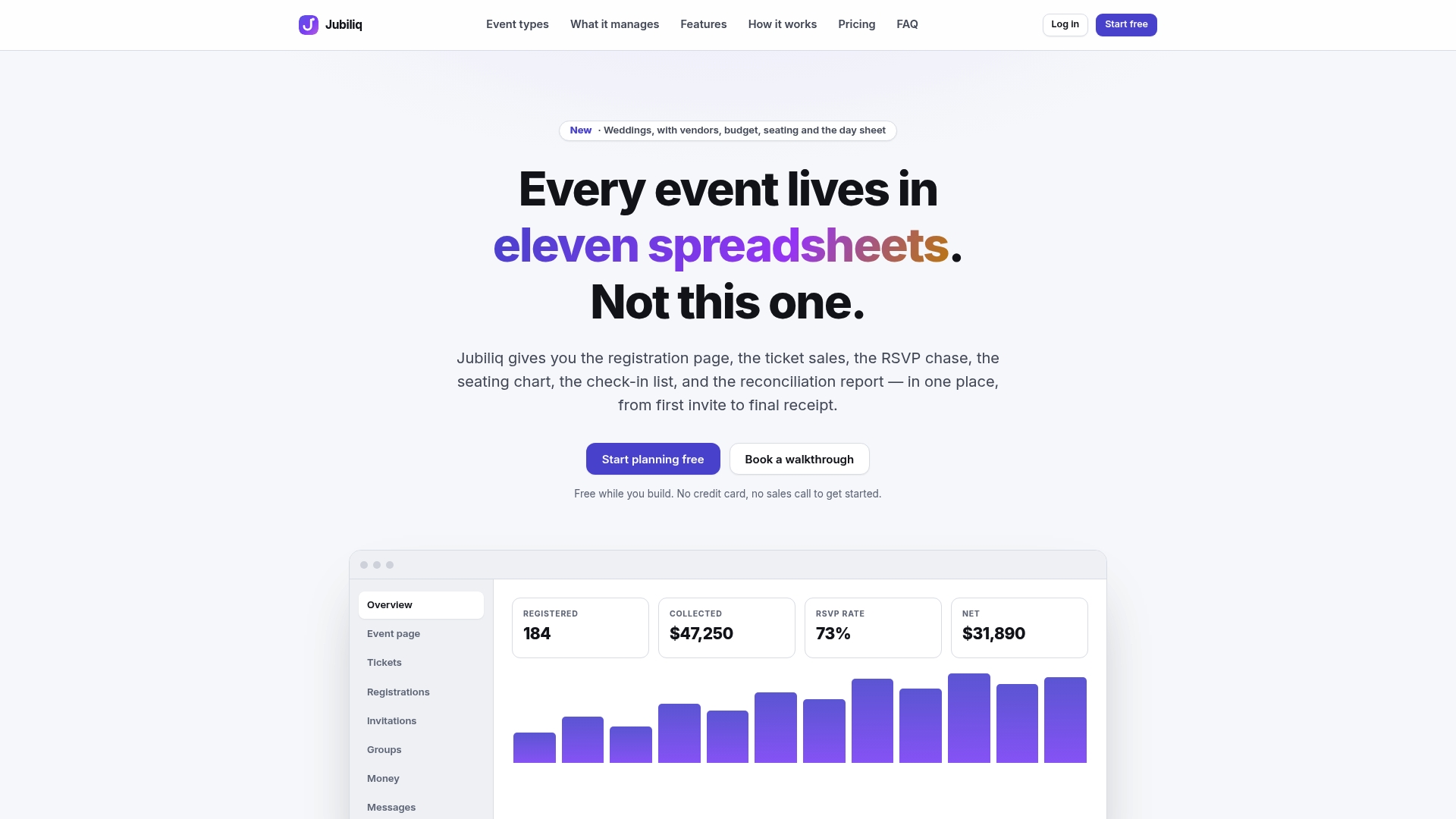
The Starter plan is free for events without paid tickets, which covers the vast majority of weddings, so there’s no cost barrier to consolidating your guest list, RSVP tracking, and budget in one place from day one. You get a printable day sheet built from your actual confirmed numbers, real-time updates as RSVPs roll in, and an interface that only shows you the wedding-relevant tools instead of burying you in features built for galas and golf tournaments. If your wedding involves paid tickets, like a destination celebration with a hosted bar tab guests contribute to, the Organizer plan runs on a 2% per-registration fee instead of a flat cost. Head to Jubiliq and set up your guest list in planning mode to see your real numbers before you mail a single invitation.
A Rule-Based Approach Beats a Feelings-Based One
Couples who set a hard number and universal rules before touching names spend far less energy relitigating individual cuts later. That doesn’t make the cuts painless. It makes them defensible, which is the most any guest list can offer. Adjust the tiers to fit your own family’s culture and priorities. The structure matters more than the exact percentages.
— HCRF
Sources
- Wedding Guest Count vs Budget: The Formula Every Couple Needs | Plan A Wedding
- How to Manage Your Wedding Guest List | 2026 Costs & Strategy
- The Wedding Guest List Guide for Brides - Los Angeles Times
- RSVP Timeline for Wedding: When to Mail Invites, Set Deadlines, and Stay Sane - Joy Containers
FAQ
Who Should Be on a Wedding Guest List?
Start with immediate family and your wedding party as nonnegotiable Tier 1 names, then fill remaining space with close friends and extended family in Tier 2 before considering Tier 3 names like distant relatives or coworkers. Your maximum guest count should come from your budget and venue capacity, not from how long your combined family list happens to run.
What Is the 50/20/30 Rule for Weddings?
There’s no single, universally recognized “50/20/30” standard for wedding guest lists. The consistent, well-supported method is the tier system: prioritize your must-have Tier 1 guests first, fill remaining room with Tier 2, and only add Tier 3 names if your headcount allows it.
What Are Some Ideas for a Guest List for a Wedding?
Build your list in stages: write an unfiltered fantasy list, merge both partners’ names, then sort everyone into three tiers based on how essential they are to the day. Apply universal rules, like a consistent plus-one policy and a clear stance on coworkers, so every cut follows the same logic instead of feeling personal.
What Should I Include on My Wedding Guest Checklist?
Every guest entry needs a full name, household grouping, relationship or side, tier assignment, contact details, RSVP status, plus-one name if applicable, meal choice, and seating notes. A platform like Jubiliq keeps these fields linked automatically so RSVP updates and meal counts stay accurate without manual re-entry.
When Should I Set My Wedding RSVP Deadline?
Set your RSVP deadline 3 to 4 weeks before the wedding for a local event, or 6 to 8 weeks before for a destination wedding, and mail invitations 6 to 8 weeks ahead of that deadline.