6 RSVP Reminder Emails Event Planners Can Send 7–14 and 3–5 Days Out

6 RSVP Reminder Emails Event Planners Can Send 7–14 and 3–5 Days Out
Send a short, name-personalized email with a one-click RSVP link and an exact deadline date, not a vague “let us know soon.” Time your first nudge 7 to 14 days before the cutoff and a second, brief one 3 to 5 days out. The link matters more than the wording: guests reply when responding takes ten seconds, not when the message is clever.
TL;DR:
- The RSVP deadline should be set at least 3 to 5 days before vendor cutoffs, with two to three weeks notice preferred for buffer and follow-up.
- Use email for larger, formal lists and texting or WhatsApp for smaller, more personal groups, escalating contact methods if responses stall.
- Keep reminder messages brief, polite, and clear, including the guest’s name, event date, exact deadline, and a one-click response link.
- For guests who remain unresponsive after multiple attempts, a personal call is the most effective, reserved for those whose numbers impact event logistics.
Table of Contents
- When Should You Send an RSVP Reminder Email?
- Email, Text, or Phone: Which Channel Actually Works?
- Copy-and-Paste RSVP Reminder Email Templates
- How Do You Write a Reminder Without Sounding Pushy?
- How Do You Segment RSVP Reminders for Better Response Rates?
- What Should You Automate When Chasing RSVPs?
- An Editorial Take on Chasing Guests Who Won’t Reply
- Automate Your RSVP Reminders With Jubiliq
- Sources
- FAQ
When Should You Send an RSVP Reminder Email?
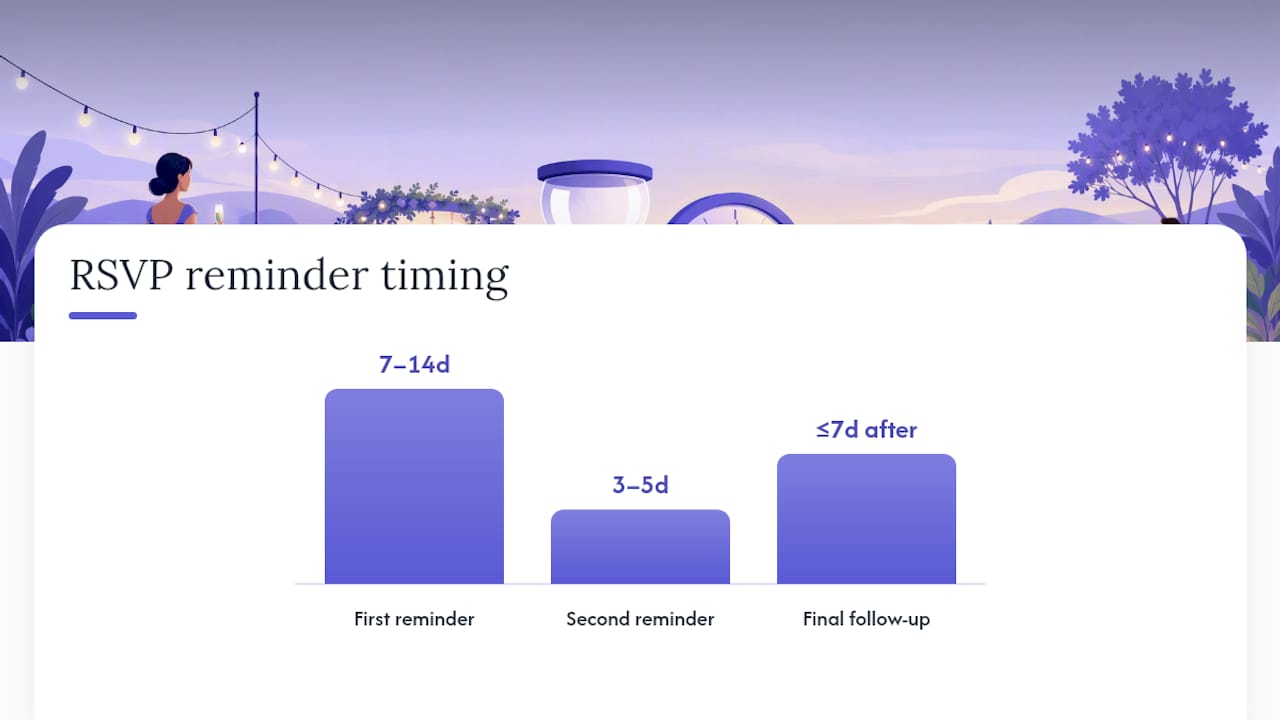
Two reminders, spaced correctly, handle almost every guest list. A third only comes into play when you’re missing a handful of critical headcounts after the deadline has already passed.
Here’s the schedule that works for most weddings, galas, and corporate events:
- First reminder: 7 to 14 days before the RSVP deadline. This is the friendly nudge. Most people haven’t forgotten your event, they just haven’t gotten around to the two minutes it takes to reply. Sending this window catches people while there’s still comfortable runway before the deadline.
- Second reminder: 3 to 5 days before the deadline. Shorter, a little more direct, and framed around the fact that the cutoff is close. This is where you can mention that you’re finalizing counts with your caterer or venue.
- Final follow-up: within a week after the deadline, only for missing critical counts. Reserve this for the specific people you still need an answer from. Sending it to your whole list after the deadline reads as disorganized.
Your RSVP deadline itself shouldn’t be arbitrary. Work backward from your vendor cutoffs. If your caterer needs a final headcount 10 days before the event and your florist needs table counts a week out, set your RSVP deadline at least 3 to 5 days ahead of the tightest of those windows. That buffer gives you room to chase stragglers without missing a vendor’s own deadline, which is a much worse conversation to have than asking a guest twice.
Pro Tip: Set your RSVP deadline two to three weeks before the event, not one. It feels early, but it gives you the buffer to run both reminders and still have time to call the last few holdouts before you’re locked into a final number.
Email, Text, or Phone: Which Channel Actually Works?
Match the channel to the guest list, then escalate in a specific order if you’re not getting replies.
Email is the right default for formal events and larger lists. Once you’re past 200 invitees, email gives you tracking, templates, and the ability to send in bulk without it feeling impersonal, since the format itself is expected for weddings, galas, and corporate functions. For smaller, more personal lists, text and WhatsApp tend to perform better. Vendor tracking data shows WhatsApp read rates running around 60.6% compared to roughly 40.7% for email opens in one platform’s sample, which lines up with how most people actually treat their inboxes versus their phones.
When someone still hasn’t responded after two channels, escalate in this order:
- Email first for anyone on a formal or large list.
- Text or WhatsApp second if there’s no response within a few days, especially for people you’d normally text anyway.
- A direct personal message (not a group chat) if you’re now three touches in.
- A phone call last, reserved for close family, wedding party members, or anyone whose headcount actually changes your seating and catering numbers.
Each step should get more personal, not more pressured. Escalating the medium while keeping the tone identical is what keeps a fourth follow-up from feeling like a demand.
One more rule: skip group messages for your first reminder. A group text to twelve cousins reads as scattered and lets everyone assume someone else will reply first. Save group messages for genuinely casual gatherings where the group already talks regularly and a light “hey, don’t forget to RSVP!” fits the vibe.
Copy-and-Paste RSVP Reminder Email Templates
Below are six templates built for different situations. Swap in your own event details, and keep the structure: name, date, deadline, link, done.
-
Friendly casual reminder Subject: “Quick one — did you RSVP for [Event Name] yet?” “Hi [Name], just checking in! We haven’t seen your RSVP for [Event Name] on [Date] yet. Could you let us know by [exact deadline date]? [RSVP Link]. Can’t wait to celebrate with you!”
-
Formal event reminder Subject: “RSVP Reminder: [Event Name], response requested by [Date]” “Dear [Name], we kindly request your response to our invitation for [Event Name] on [Event Date]. Please confirm your attendance by [exact deadline date] using the link below. [RSVP Link]. We look forward to your reply.”
-
Short, urgent reminder (final days) Subject: “Last call — RSVP by [Date]” “Hi [Name], quick reminder that RSVPs for [Event Name] close on [exact deadline date]. One click and you’re set: [RSVP Link]. Thank you!”
-
Recovery message for a missed deadline Subject: “We still need your RSVP for [Event Name]” “Hi [Name], we noticed we haven’t heard back for [Event Name]. We’re finalizing our numbers with the venue, so if you could reply by [new short deadline], that would help us a lot. [RSVP Link].”
-
Plus-one and dietary follow-up Subject: “RSVP for [Event Name] — plus a couple quick details” “Hi [Name], thanks for confirming you’re coming! Two quick things: does your plus-one need to be added, and do you have any dietary restrictions we should note? Update everything here: [RSVP Link].”
-
Workplace or corporate RSVP reminder Subject: “Action needed: RSVP for [Event Name] by [Date]” “Hi [Name], this is a reminder to confirm your attendance for [Event Name] on [Date]. Please RSVP by [exact deadline date] so we can finalize seating and catering. [RSVP Link]. Reach out to [Contact] with any questions.”
For subject lines, clarity beats cleverness every time. A few reliable variants: “Quick RSVP for [Event] — reply by June 14,” “Reminder: your RSVP is due Friday,” “We need your headcount by [date],” “One click to confirm your spot,” “RSVP closing soon for [Event Name],” and “Final reminder: [Event Name] RSVP deadline is [Date].”
Your call-to-action deserves the same attention as the subject line. A bright button reading “RSVP Now” converts well in HTML email, but always include a plain-text link underneath for guests on restrictive work inboxes or older email clients. If you want to skip the link entirely, a simple “reply to this email with yes or no” line works fine for smaller, informal lists. Templates with buttons paired with a small info block covering plus-ones and dietary needs tend to generate fewer confused follow-up questions from guests.
How Do You Write a Reminder Without Sounding Pushy?
A good reminder has five parts: the guest’s name, the event date, the exact RSVP deadline, a one-click link, and a short, polite reason if you’re mentioning finalizing counts. That’s it. You don’t need to re-explain the dress code or resend the full invitation, since guests who already have that information just want the fast path to responding.
Keep these etiquette rules in mind:
- Use the guest’s actual name, never “Dear Guest” or a blank greeting.
- State the deadline as a specific date. An exact date like “by June 14” outperforms a vague “soon” because it creates real urgency instead of a soft suggestion.
- Keep the whole message under 60 words for a second or third reminder. Long explanations read as guilt-tripping, even when that’s not the intent.
- Never scold a guest for being late. A neutral, warm tone gets better results than a message that implies disappointment.
- Don’t send more than two reminders before the deadline. A third pre-deadline nudge tends to annoy people rather than move them to act.
Pro Tip: If you’re tempted to add a line explaining why you need the RSVP so badly, cut it. One clause like “so we can finalize seating” is plenty. Anything longer starts to sound like you’re asking permission instead of requesting a reply.
How Do You Segment RSVP Reminders for Better Response Rates?
Group your guest list before you send anything, and treat each group differently. Family and wedding party members can handle a more casual, personal touch. Coworkers and formal invitees need a cleaner, more professional tone. Guests traveling from out of town may need extra lead time since their decision often depends on booking flights.
- Segment by relationship: close family gets warmer, more direct messages; broader lists get standard templates.
- Segment by logistics: flag traveling guests early since their RSVP often depends on other bookings falling into place.
- Segment by complexity: guests choosing between meal options need a slightly longer message with a prefilled selection link if your platform supports it.
- Personalize wherever possible: use the guest’s name, reference a known plus-one by name rather than “your guest,” and prefill any details you already have.
- Delegate where it makes sense: ask a parent or close friend to check in with their side of the family rather than sending everyone the same generic blast, then log every response in one place so nothing gets double-counted.
What Should You Automate When Chasing RSVPs?
Manually tracking who replied, who didn’t, and who needs a second nudge works fine for 20 guests. It falls apart at 150. The tasks worth automating are segmented bulk reminders to your “no response” group, scheduled sends so you’re not manually hitting send at 7 a.m., and one-click RSVP links that update your guest list the moment someone responds.
- Automating outreach to non-responders only, rather than your full list, prevents the awkwardness of re-asking someone who already replied.
- Scheduled sends save the actual hours you’d otherwise spend manually filtering spreadsheets and copy-pasting messages.
- An exportable guest list means your caterer, venue, and rental company all get accurate, current numbers without you re-typing anything.
An adaptive event interface can surface RSVP tracking automatically for the event type, with real-time updates and printable day sheets that keep headcounts visible without extra spreadsheets…
If you’re sending SMS or WhatsApp reminders, respect opt-outs immediately. A guest who asks to be reminded by email only should never get a text reminder anyway, formal request or not.
An Editorial Take on Chasing Guests Who Won’t Reply
Every planner eventually hits the same wall: a handful of names that just won’t respond no matter how many nudges you send. The fix isn’t a fourth reminder. It’s a short phone call to the two or three people whose attendance actually changes your seating chart or catering count, and letting delegated family members quietly chase the rest. Set a hard personal cutoff, usually 3 to 5 days after your stated deadline, and finalize your numbers there…
— HCRF
Automate Your RSVP Reminders With Jubiliq
Jubiliq gives you one place to send those first and second reminders without rebuilding a spreadsheet every time someone finally replies. Its adaptive interface only shows the RSVP and guest-tracking tools relevant to your event type, so a wedding organizer isn’t wading through sponsorship features built for a corporate gala.
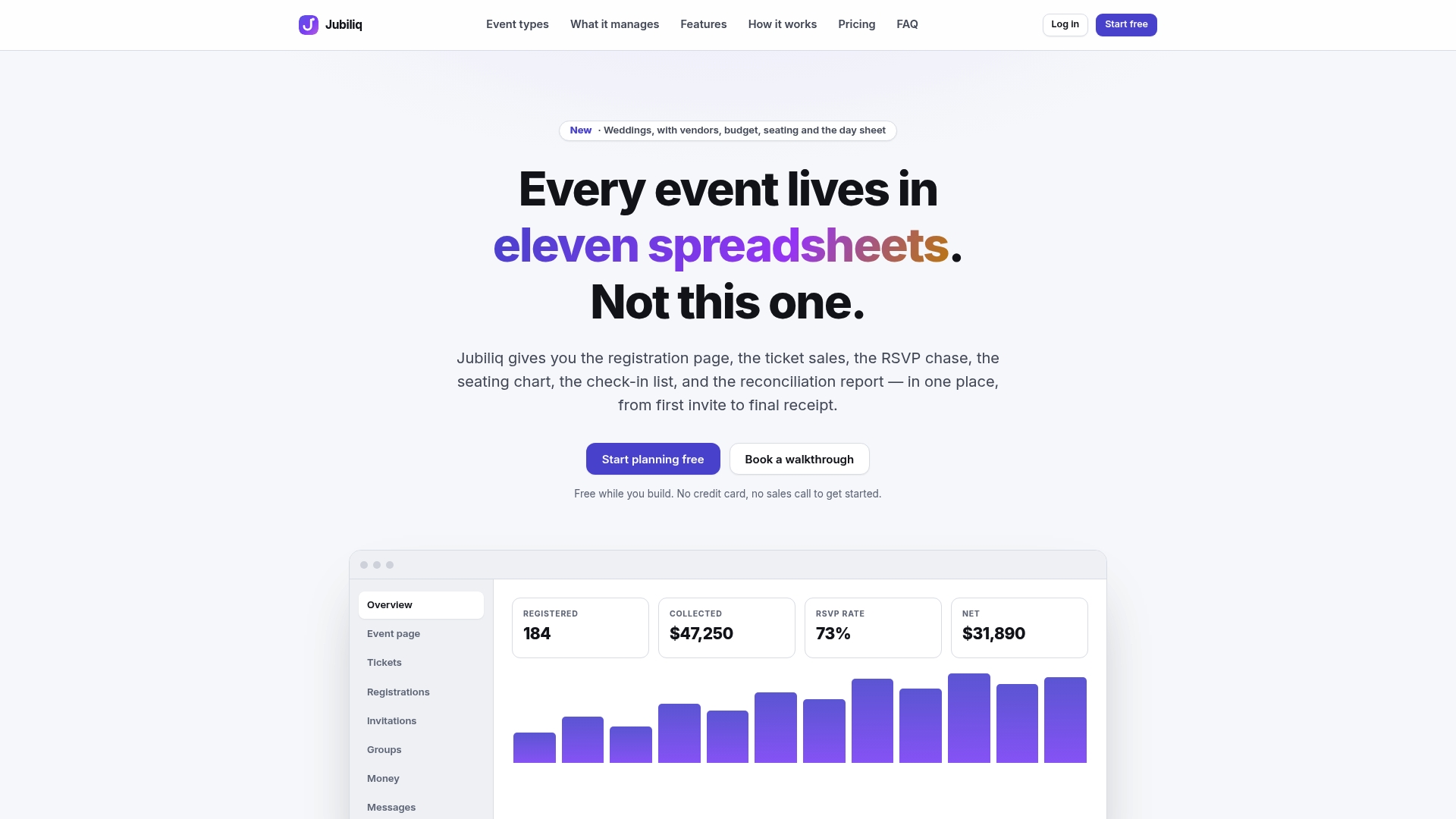
Some platforms track who has responded in real time, allow filtering and messaging only non-responders, and export clean guest lists for caterers or venues. Pricing details vary based on event type and features, with some plans free for RSVP-only events and others charging a percentage per paid registration; custom pricing may be available for multi-event organizers. If you’re also coordinating vendors like a wedding pianist, a resource like Dustin Callahan’s event booking page shows how personal service providers structure their own guest communication, which is a useful model to borrow from when writing your own reminders. Start building your guest list and RSVP tracker at Jubiliq.
Sources
- RSVP Reminder Wording: Polite Templates That Actually Get Replies | KnotUploader
- RSVP Reminder Text Templates: 25+ Examples (2026) | QuikRSVP
- Emailbuilder
- How to Politely Remind Guests to RSVP Without Pressure | 1Invites
FAQ
What Is a Good RSVP Reminder Message?
A good RSVP reminder is short, uses the guest’s name, states the exact deadline date, and includes a one-click link to respond. Something like “Hi Sarah, just a quick reminder that RSVPs for our wedding close on June 14. You can confirm here: [link]” covers everything needed without extra explanation.
How Do You Send Reminders to Guests to RSVP?
Send the first reminder by email or text 7 to 14 days before your deadline, then a shorter second reminder 3 to 5 days before the cutoff. Escalate to a phone call only for the small number of critical guests still missing after both reminders, moving from email to text to a personal message before calling.
What Is a Good Message to Confirm an RSVP?
A confirmation message thanks the guest for responding and restates any key detail they provided, such as a meal choice or plus-one. “Thanks for confirming, [Name]! We’ve got you down for two guests with the chicken entrée” closes the loop and prevents duplicate follow-up.
What Do You Write in an RSVP Email?
An RSVP email needs the guest’s name, the event date, the exact response deadline, and a direct link to reply. For larger or formal events, adding a short info line about plus-ones or dietary options reduces the number of guests who email back with questions.
Does Jubiliq Send RSVP Reminders Automatically?
Jubiliq’s guest list tools let organizers track who has responded and message non-responders directly, cutting down on manual spreadsheet work. Pricing depends on the plan, with the Starter option free for RSVP-only events and the Organizer plan at 2% per paid registration; full details are available at Jubiliq.