Organizers: Cut Ticket Refunds in 30 to 90 Days with Operations Fixes

Organizers: Cut Ticket Refunds in 30 to 90 Days with Operations Fixes
To reduce ticket refunds and the chargebacks that follow, publish a clear refund policy everywhere a buyer looks, then make transfers, credits, and optional insurance the default alternatives to cash back. Pair that with a plain billing descriptor and a one-business-day response standard for refund requests. Do these three things and most organizers see fewer refund tickets, fewer disputes with the bank, and steadier cash flow through the event.
TL;DR:
- Publishing a clear refund policy across all touchpoints reduces disputes and bank chargebacks, especially when paired with default transfers and credits.
- Including a detailed scenario list, a transparent processing timeline, and acceptance logging at checkout minimizes the likelihood of chargebacks.
- Recognizable billing descriptors matching the event name and a straightforward refund process with prompt acknowledgment significantly cut refund requests.
- Effective confirmation emails with access instructions and reminders before the event decrease no-shows and subsequent refund demands.
- Using self-serve ticket transfers, automated waitlists, and optional insurance at checkout preserves revenue and lowers refund-related costs.
Table of Contents
- A 30 to 90-day checklist to cut ticket refund requests
- How do you write a refund policy that prevents disputes?
- What checkout and payment settings actually stop refund requests?
- What should your confirmation emails and reminders say?
- Do ticket transfers, waitlists, and insurance actually save money?
- How do you handle chargebacks and win representment?
- How does an event platform help you operationalize this?
- Why the standard refund policy advice misses the point
- See how Jubiliq maps to this playbook
- Sources
A 30 to 90-day checklist to cut ticket refund requests
Start with the changes that take an afternoon, not a development sprint.
Days 1 to 7:
- Publish the refund policy on the event page, at checkout, and in the confirmation email using identical wording.
- Turn on self-serve ticket transfers so buyers can hand off a ticket instead of requesting money back.
- Set up a waitlist so released seats resell automatically.
Days 7 to 30:
- Add optional, attendee-paid ticket insurance at checkout for events over a certain price point.
- Confirm your payment processor shows a billing descriptor that matches your event name, not a generic merchant code.
- Set an auto-acknowledgment for refund requests and commit staff to a one-business-day response.
Days 30 to 90:
- Review refund request patterns monthly and adjust policy language or checkout copy where confusion keeps showing up.
Pro Tip: Run the billing descriptor test yourself. Buy a $1 test ticket and check what actually shows up on your card statement. If it reads like a random string of letters, that alone will generate refund and chargeback requests.
How do you write a refund policy that prevents disputes?
A policy that actually reduces disputes does five things, not one vague paragraph about “no refunds.”
- Name every scenario. Spell out what happens if the event is canceled, postponed, the lineup changes, the buyer is sick, or they simply change their mind. Silence on any one of these invites a bank dispute.
- State a real timeline. Processing windows of 7 to 14 business days are the standard organizers use, and buyers who know when to expect money back are far less likely to escalate to their bank while waiting.
- Offer alternatives before cash. Credit toward a future event, a ticket transfer, or a partial refund all keep revenue in the business while still solving the buyer’s problem.
- Flag non-refundable fees. Booking or service fees that don’t come back should be stated plainly, not buried in a terms link nobody opens.
- Log acceptance at checkout. A timestamped checkbox showing the buyer saw and accepted the policy becomes evidence later if a bank dispute lands.
The wording has to match across the event page, checkout screen, and confirmation email. Inconsistent policy language across those three touchpoints is one of the most common triggers for a dispute, since organizers who bury the policy in a single obscure location see more chargebacks than those who post it in checkout, confirmation, and FAQ alike.
What checkout and payment settings actually stop refund requests?
Most refund requests start as confusion, not a genuine complaint. Checkout design fixes that.
- Show a short, plain-language policy summary right on the checkout screen, and require a checkbox acknowledgment before the buyer can pay.
- Offer optional ticket protection at checkout, described in one or two sentences, so buyers understand what a claim covers before they need one.
- Use a recognizable billing descriptor that mirrors the event name exactly as it appears in the confirmation email.
- For free events with a history of no-shows, a small refundable deposit raises commitment without alienating attendees.
- Always refund to the original payment method and send a written refund confirmation the moment it processes.
Chargeback prevention firms that study ticketing disputes consistently find the same pattern: organizers who manage the full purchase experience, from a legible billing descriptor to fast, clear communication, see fewer accidental disputes than those who treat checkout as an afterthought. A billing descriptor mismatch alone can account for a meaningful share of “I don’t recognize this charge” disputes, since buyers who can’t identify a charge on their statement call their bank before they call you, an issue payment-clarity tools like Breakeven are built specifically to catch.
What should your confirmation emails and reminders say?
The confirmation email is your first and best chance to prevent a refund request before it happens. It should include the order summary, access instructions, a link to the refund policy, and the processing timeline in plain terms.
From there, a simple reminder cadence does most of the work: one week out, one day out, and the morning of the event, each carrying the ticket or QR code and an add-to-calendar link. This kind of structured reminder sequence measurably reduces no-shows and the refund requests that follow when people forget they bought a ticket.
- If plans change (postponement, venue swap, lineup shift), send the email, update the site, and post to social the same day you decide, with clear next steps.
- Auto-acknowledge every refund request the moment it arrives, then respond with a real answer within one business day.
- Send a short post-event follow-up. Catching a dissatisfied attendee early is cheaper than fighting their chargeback later.
Do ticket transfers, waitlists, and insurance actually save money?
Yes, and in that order of impact for most organizers.
- Self-serve transfers and name changes. A transferred ticket is a filled seat, not lost revenue, and letting the buyer handle it themselves without emailing your support inbox is one of the highest-leverage changes an organizer can make.
- Waitlists. When someone does need to back out, a waitlist resells that seat automatically instead of forcing a refund. Combined, transfers and waitlists are widely considered the single most underused lever for protecting revenue that would otherwise walk out the door as a refund.
- Optional ticket insurance. Offered at checkout and paid by the attendee, insurance shifts personal-emergency refund requests to an insurer instead of your budget. Buyers with a family emergency or illness file a claim with the insurance provider rather than demanding a refund from you, and festival organizers who’ve added this option report fewer chargebacks along with more confident buyers at checkout, since the safety net removes hesitation at the point of purchase.
Pro Tip: Keep insurance opt-in off by default, but write the coverage description in two sentences a buyer can read in five seconds. If your support team gets insurance claim questions, the answer is always “file with the insurer,” not “let me process that refund.” Train them to redirect, not resolve.
How do you handle chargebacks and win representment?
When a dispute lands anyway, speed and documentation decide the outcome. Acknowledge every refund request automatically, then follow up with a real answer inside one business day. Slow responses turn a solvable request into an escalated chargeback.
Keep these records for every sale, not just disputed ones:
- Transaction and order details, including the billing descriptor shown to the buyer.
- Proof of ticket delivery and, where possible, scan or entry logs.
- Timestamped proof the buyer accepted the refund policy at checkout.
- The full communication history with that buyer.
Representment works best when the evidence matches the bank’s specific reason code, since submitting irrelevant paperwork wastes the response window. The strongest packets show policy acceptance at purchase alongside proof of ticket use, and organizers who consistently use recognizable billing descriptors and published timelines walk into that fight with a stronger case before they submit a single document. Not every dispute is worth contesting. Weigh the processing cost and your odds against the ticket price before deciding to fight instead of concede.
How does an event platform help you operationalize this?
Most of what stops refund requests isn’t a single tactic. It’s whether your checkout, confirmation emails, and transfer workflow actually work together without someone manually stitching them together in three different tools.
The platform’s adaptive planning interface surfaces the relevant options (transfers, credits, insurance messaging) based on the type of event you’re running, so a gala checkout does not show irrelevant fields built for a golf tournament. Confirmation templates, financial dashboards, and CSV exports for accounting provide organizers the records needed for representment cases (order details, timestamps, communication history) without a separate spreadsheet system.
The gap between “we have a refund policy” and “our refund policy actually prevents disputes” is almost always an operations gap, not a wording gap. Buyers dispute charges when they’re confused, not when they’ve read fine print and disagreed with it.
Why the standard refund policy advice misses the point
Most guidance on this topic treats the refund policy like a legal document: get the wording right, post it once, done. That’s backwards. The policy matters less than where and how often a buyer encounters it before they ever think about asking for money back.
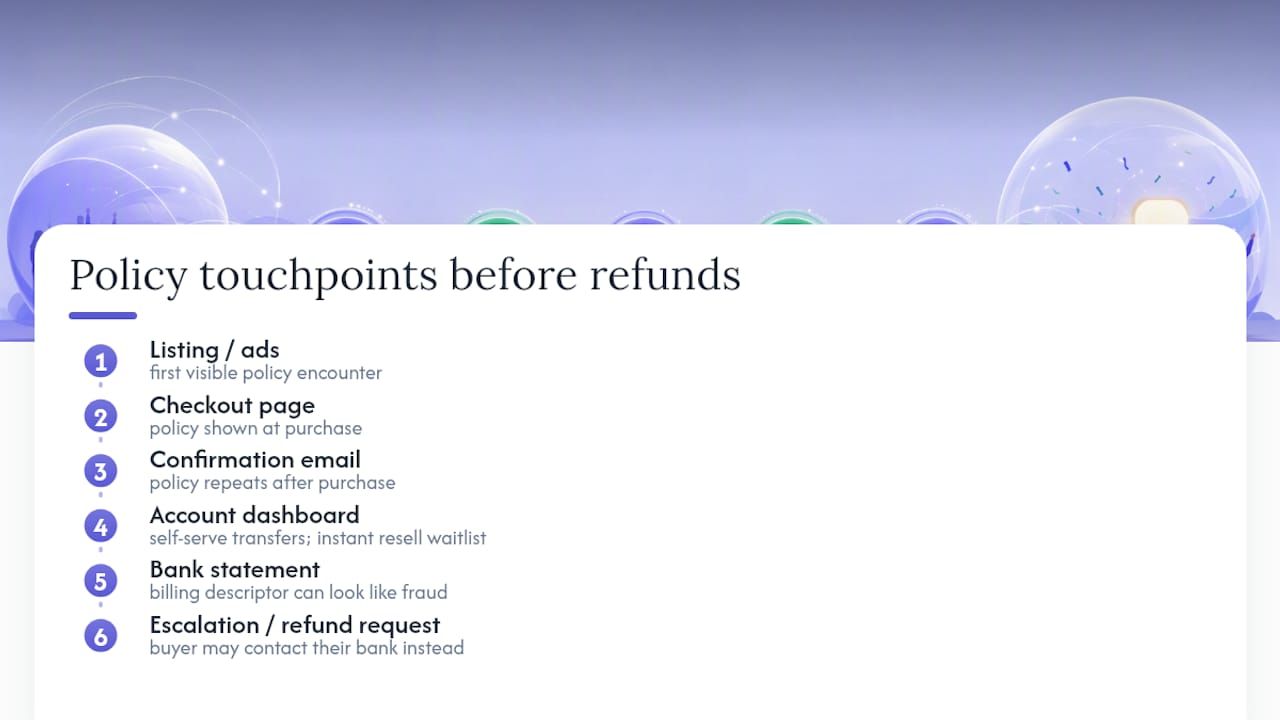
The organizers with the lowest refund rates aren’t the ones with the strictest terms. They’re the ones who removed the reasons someone would need to ask, mainly through self-serve transfers and a billing descriptor that doesn’t look like fraud on a bank statement. A waitlist that instantly resells a released seat does more for revenue than any clause about “no refunds within 48 hours.”
If you do only one thing this month, fix your billing descriptor and turn on self-serve transfers. Both take under an hour and both address the two most common reasons buyers escalate to their bank instead of emailing you first. Insurance and a tighter dispute-response process matter, but they’re second-order fixes for problems the first two changes prevent from happening at all.
— HCRF
See how Jubiliq maps to this playbook
Jubiliq is built so the tactics above aren’t a checklist you maintain separately from your event tools. They’re workflows already built into the platform.
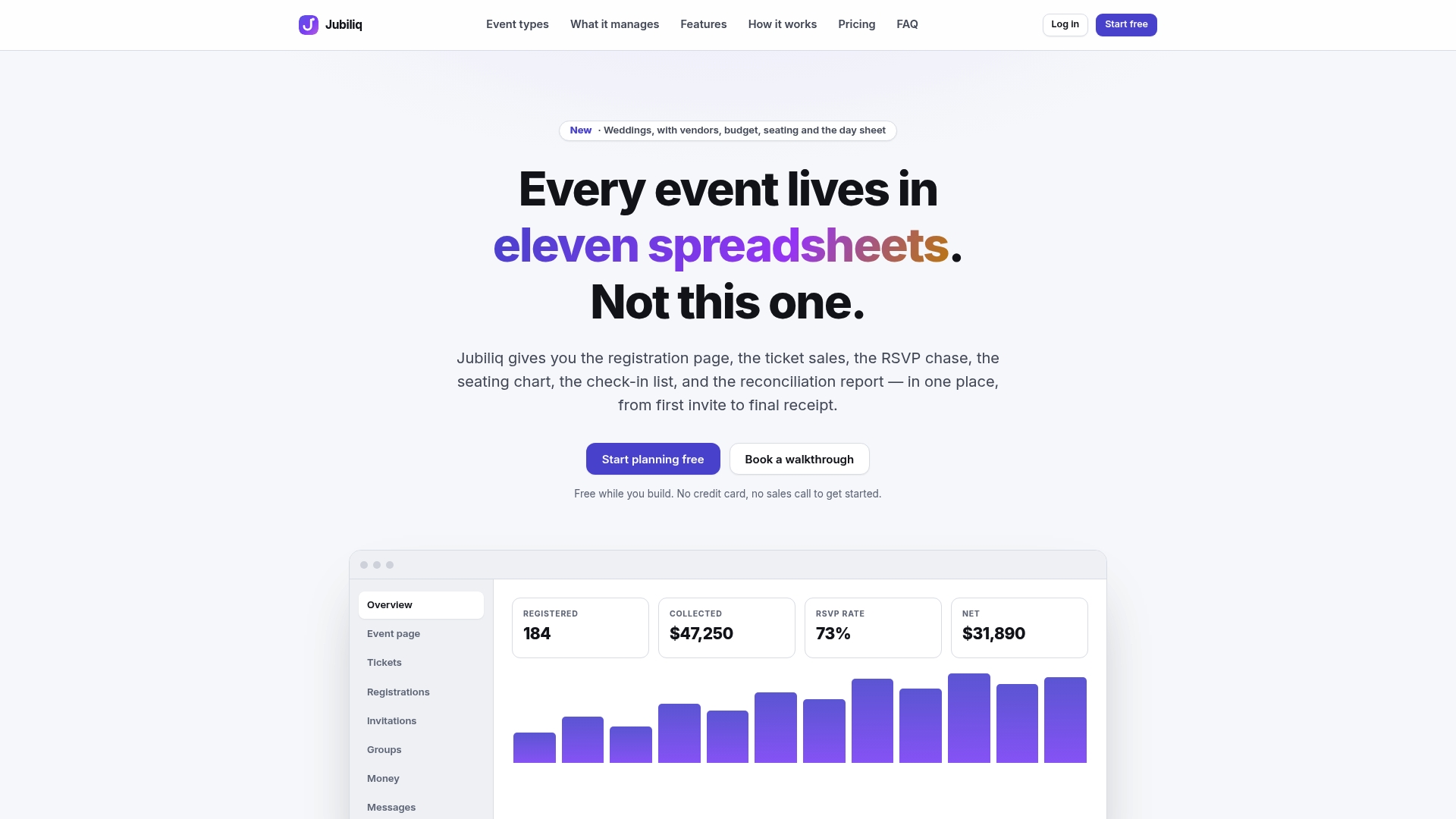
The adaptive interface shows transfer, credit, and insurance messaging options based on your event type, so a wedding, corporate function, or fundraiser each get the checkout fields that actually apply. Confirmation email templates carry your policy language automatically, and the real-time financial dashboard tracks refund requests and transfers alongside ticket revenue, so you’re not exporting three spreadsheets to answer one question. Printable day sheets and CSV exports give you the recordkeeping a representment case needs without building it by hand.
If you’re selling tickets to a gala, fundraiser, or corporate event and want checkout, confirmations, and transfers working from one system, see the Jubiliq platform and check whether it fits your next event.