Stop the Broadcast Trap in Hybrid Event Planning: Production First

Stop the Broadcast Trap in Hybrid Event Planning: Production First
Choose hybrid when your audience is genuinely split between people who can travel and people who cannot, or when a sponsor, funder, or accessibility mandate requires you to serve both. The single highest priority once you commit is treating the event as two linked productions, not one livestream bolted onto a room. A large mixed-methods study of hybrid academic conferences found hybrid formats outperformed virtual-only sessions on information retention and follow-on collaboration.
TL;DR:
- Hybrid events are justified when audiences are truly dispersed or when accessibility and inclusion are non-negotiable, and they benefit from larger reach for sponsors.
- Success relies on treating the event as two linked productions with dedicated roles, thorough rehearsals, and technical specs like multi-camera setups and direct audio feeds.
- Proper planning requires early format lock, scalable timelines, and separate budgets for production, platform, accessibility, and contingency to ensure engagement and avoid virtual disengagement.
- Different hybrid formats, such as simulcast, blended, hub-and-spoke, or companion tracks, target specific goals like content distribution, interaction, or multi-location coordination.
- Measuring success involves tracking attendance, engagement, satisfaction, and post-event content use separately for in-person and virtual audiences, with a focus on information retention and collaboration rates.
Table of Contents
- How do you know if hybrid is the right format?
- Which hybrid format fits your goals: simulcast, blended, hub-and-spoke, or companion tracks
- Building your hybrid event timeline and checklist
- Production specs that keep the virtual feed from failing
- Designing two attendee journeys instead of one
- Making accessibility a design requirement, not an afterthought
- Who runs the show and how rehearsals should work
- Budgeting for production, platform, and contingency
- Measuring hybrid results across both audiences
- Turning one event into weeks of usable content
- Comparing platform options for your hybrid production
- Marketing a hybrid event to two different audiences
- Sponsorship packages built for a split audience
- What experienced planners get wrong about hybrid events
- How Jubiliq keeps hybrid planning organized
- Checklists and studies worth bookmarking
- Sources
- FAQ
How do you know if hybrid is the right format?
Hybrid makes sense when your audience is genuinely dispersed and unlikely to travel for a single day of content, or when accessibility and inclusion goals are stated requirements rather than nice-to-haves. It also earns its cost when sponsors expect reach numbers beyond a single room, since a combined in-person and virtual audience gives them more impressions to justify their spend.
Size and complexity matter as much as intent. A 40-person training session rarely needs a hybrid build, while a 500-person conference with breakout tracks usually does, because the production overhead per attendee drops as scale increases. The Stanford Office of Special Events and Protocol frames this as a structural decision made early, not a feature added after the room is booked.
Watch for these warning signs that you are drifting into the broadcast trap, where virtual attendees become passive spectators of an in-person event:
- You are planning content, seating, and staffing for the room first and treating the virtual feed as an afterthought.
- Nobody owns the virtual attendee experience the way someone owns catering or check-in.
- Your budget has a line for AV in the room but no separate line for virtual production quality.
- Engagement tactics (polls, Q&A, networking) exist for one audience but not the other.
If you cannot resource a real virtual production, a well-run virtual-only event usually beats an underfunded hybrid one.
Which hybrid format fits your goals: simulcast, blended, hub-and-spoke, or companion tracks
Not every hybrid event should look the same, and the format you pick should follow from what you are optimizing for: reach, networking, training completion, or content longevity.
- Simulcast streams the main stage live to remote viewers with minimal interaction; it suits keynotes and large announcements where content distribution matters more than conversation.
- Blended design builds shared activities, like joint Q&A and combined breakouts, so both audiences participate in the same moments; it fits conferences and training where interaction drives the value.
- Hub-and-spoke connects multiple physical locations to one virtual core, often used for regional chapters or multi-city training rollouts.
- Virtual companion tracks run parallel sessions built only for remote attendees, useful when in-person and virtual audiences have different needs, such as a trade show floor versus a webinar-style content track.
Programming has to match the format. A blended Q&A needs a moderator watching both a chat feed and a room microphone queue, while a companion track needs its own speakers and schedule rather than a copy of the in-person agenda.
Building your hybrid event timeline and checklist
Lead time should scale with complexity, not just headcount. A small internal training session can move in 6 to 8 weeks, a mid-size conference needs 12 to 20 weeks, and a large multi-track event benefits from the 6 to 12 month runway that the EIFL hybrid event checklist recommends for complex builds.
- Strategy and format lock (week 1 of your window): the organizer and producer confirm the hybrid format, budget ceiling, and accessibility commitments before anything else moves.
- Venue and platform selection: the AV lead tests the venue’s bandwidth and confirms the streaming platform supports captioning, moderated Q&A, and recording.
- Registration and speaker prep opens: the registration owner sets up separate in-person and virtual paths, and the accessibility coordinator starts collecting accommodation requests at sign-up.
- Content and run-of-show drafted: the producer builds a minute-by-minute script covering both audiences, not just the room.
- Technical rehearsal: the AV lead runs a full test with remote testers on different devices and connections, checking captions, return audio, and camera switching.
- Dress rehearsal: the full team runs the show end to end, including a simulated internet outage and failover to backup connectivity.
- Event day: the producer holds final authority on schedule changes; the virtual host and AV lead report directly to them.
- Post-event follow-up: content repurposing, survey distribution, and lead handoff to sales or membership teams happen within the first week.
Pro Tip: Assign one named owner to each milestone above before you build the agenda; a checklist without owners turns into a list nobody executes.
Production specs that keep the virtual feed from failing
The most common hybrid failure is a single camera pointed at a stage with room audio picked up by a far-off microphone. Remote attendees hear an echo, see a speaker’s back, and leave within minutes. Background practitioner guidance consistently recommends multi-camera setups with direct audio feeds rather than ambient room pickup, plus a dedicated virtual host to narrate what the room cannot see.
Minimum specs worth locking in before rehearsal:
- Cameras: run at least 2 to 3 angles (wide stage shot, presenter close-up, and audience or slide cutaway) with a person switching between them live.
- Audio: pull sound directly from the podium or lapel mic feed into the stream, never from a room ambient microphone.
- Bandwidth: confirm upload speed at the venue independently of the venue’s advertised capacity, and bring a cellular hotspot as backup connectivity.
- Platform criteria: choose a platform with built-in captioning, moderation tools, and automatic recording or transcript export, since retrofitting these after signing a contract rarely works.
- Remote testing: have testers join from home wifi and mobile data, not just the venue network, to catch problems the venue’s fast connection hides.
One of the most reliable predictors of hybrid success is rehearsal discipline. The EIFL checklist calls for at least one full-dress rehearsal with remote testers simulating real network conditions and device variety, including the exact handoff sequence between room AV and the broadcast feed.
Rehearsal should specifically test slide visibility on a small screen, caption accuracy against the actual speaker’s accent and pace, return audio so remote questions reach the room clearly, latency between the live feed and the room, and a failover plan if the primary stream drops. Skipping this step is the single most avoidable cause of a hybrid event’s virtual side falling apart on the day.
Designing two attendee journeys instead of one
Retrofitting a virtual layer onto an in-person plan is the most common structural mistake in hybrid planning. Both journeys should be mapped side by side from registration through follow-up, with clear decisions about what stays identical and what gets tailored.
| Journey stage | In-person attendee | Virtual attendee |
|---|---|---|
| Registration | Ticket includes venue access and meals | Ticket includes platform link and downloadable materials |
| Arrival | Badge pickup, physical wayfinding | Login test, tech-check email sent in advance |
| Participation | Room seating, in-person networking | Chat, polls, virtual breakout rooms |
| Support | On-site help desk | Dedicated virtual support channel monitored live |
| Follow-up | Printed or emailed recap | Session recordings and transcripts within days |
Content and speaker access should feel identical for both groups wherever possible, but the mechanics of participation need separate design. A virtual host dedicated to narrating room activity, running polls, and moderating a live Q&A queue does more for retention than any single feature. Scheduled virtual booths, timed to match expo-floor hours, give remote attendees a networking equivalent instead of a static sponsor page. Hybrid breakout rooms, where a facilitator bridges a physical table and a video call, keep both groups in the same conversation rather than parallel ones.
Making accessibility a design requirement, not an afterthought
Accessibility decisions made after the venue and platform are locked in almost always cost more and deliver less. Georgia Tech’s accessible event planning guidance recommends establishing accessibility requirements before venue and platform selection, with a named accessibility coordinator managing live captioning, ASL interpretation, and on-site accommodations for both audiences at once.
- Collect accessibility needs directly on the registration form, not as a follow-up email after the fact.
- Require live captions and post-event transcripts as a baseline, and book ASL interpretation whenever requested rather than treating it as optional.
- Design slides with readable contrast and font size for both a projector and a small laptop screen.
- Choose a streaming platform with tested screen-reader compatibility rather than assuming it works.
- During the venue site visit, verify step-free routes, accessible restrooms, and reserved seating near sightlines and outlets for assistive devices.
Pro Tip: Appoint the accessibility coordinator before the venue contract is signed; their sign-off should be a gate, not a courtesy check.
Who runs the show and how rehearsals should work
A dependable hybrid production needs named roles with clear authority, not a shared assumption that “the AV team will handle it.”
- Producer: owns the run-of-show and has final decision authority on schedule changes during the live event.
- AV lead: manages cameras, audio feeds, streaming platform, and bandwidth, and calls technical timeouts if something breaks.
- Virtual host: narrates room activity for remote attendees, runs polls, and moderates the Q&A queue in real time.
- Accessibility coordinator: manages captioning accuracy, interpreter cues, and on-site accommodations throughout the event.
- Support staff: answer login and technical issues for virtual attendees and physical wayfinding for in-person guests.
The run-of-show document should list every segment with a timestamp, the responsible role, and a fallback action if that segment runs long or fails technically. Dress rehearsal should walk through the full schedule once, including a deliberate simulated outage, so the team practices the failover sequence rather than discovering it live. A short incident response plan, covering who calls the failover and who communicates with attendees if the stream drops, belongs in the same document. A group event risk assessment template gives organizers a starting structure for capturing these contingencies before the event, not during it.
Budgeting for production, platform, and contingency
Hybrid budgets need separate line items for the in-person build and the virtual production, since folding virtual costs into a general AV line is how organizers end up underfunding the camera and audio setup that keeps remote attendees engaged.
- Production: cameras, direct audio feeds, a technical director or switcher, and a virtual host’s time.
- Platform: licensing for streaming, captioning, moderation, and recording features.
- Accessibility: captioning, interpretation, and any accommodation costs identified at registration.
- Staff: support desk coverage for both audiences plus rehearsal time.
- Contingency: backup connectivity, a reserve for a shift to fully virtual if venue plans fall through.
Virtual ticket pricing should sit meaningfully below in-person pricing, commonly in the range of 25% to 50% of the in-person ticket, to reflect the lower cost of attendance without cannibalizing in-person sales. Bundle options, like a virtual ticket that includes recorded access to in-person-only sessions, can add value without discounting the room. Sponsor packages that combine an in-person booth with a scheduled virtual booth slot or a branded segment in the livestream give sponsors reach across both audiences in one purchase.
Measuring hybrid results across both audiences
Reporting hybrid results well means tracking each cohort separately, then combining them into one dashboard for stakeholders who care about total reach.
- Registrations and check-ins or logins: compare intent to actual attendance for both groups.
- Session attendance and average completion: which sessions held virtual attendees for the full runtime versus which saw drop-off.
- Dwell time: how long virtual attendees stayed active in chat, polls, or breakout rooms.
- Net Promoter Score: collected separately for in-person and virtual respondents, since satisfaction drivers differ.
- Pipeline or revenue attributed: ties attendance to downstream sales or membership conversions.
A large study of hybrid academic conferences found information retention of 82.7% among hybrid attendees, compared with 65.3% for virtual-only participants, a gap worth citing when justifying hybrid’s cost to a sponsor or executive sponsor. The same research found a higher rate of new collaboration formation among hybrid attendees than virtual-only ones, a signal worth tracking alongside attendance if your event’s goal includes networking or partnership building.
Turning one event into weeks of usable content
The event itself is the shortest phase of the content’s useful life. Recordings, transcripts, and chat logs generated during a hybrid event can be repurposed into session clips, blog recaps, and email nurture content for weeks afterward, extending the reach beyond whoever logged in live.
Send a follow-up email to both audiences within 48 hours, but tailor it: in-person attendees get a thank-you and photo recap, while virtual attendees get direct links to their session recordings and any materials they missed. Sales or membership teams should receive a lead list segmented by engagement level, since a virtual attendee who stayed for three sessions and asked a question in Q&A is a warmer lead than one who logged in and left.
Transcripts from captioned sessions can become blog posts or FAQ content with minimal editing, and short clips from high-engagement moments perform well as promotional content for the next event. A post-event survey, sent separately to each cohort, should ask what worked and what didn’t for their specific experience rather than a single generic form, since in-person and virtual pain points rarely overlap.
Practitioner analyses suggest virtual attendees convert to future in-person attendance at a notable rate, which makes the follow-up sequence for virtual attendees worth the same care as the one for in-person guests rather than a lower priority.

Comparing platform options for your hybrid production
Streaming and event platforms vary widely in what they handle well, and the right choice depends on your format more than any single feature list.
Webinar-style platforms tend to handle large one-to-many broadcasts cleanly, with strong captioning and recording support, but often lack the breakout-room flexibility that blended formats need. Dedicated hybrid event platforms usually bundle registration, streaming, and networking tools together, which reduces the number of vendors you manage but can mean weaker AV controls than a purpose-built streaming stack. Video conferencing tools repurposed for events are familiar to most attendees and cheap to license, but moderation and captioning quality can lag behind platforms built specifically for larger audiences.
Whatever you choose, weigh it against the same criteria every time: accessibility support such as screen-reader compatibility and live captioning, moderation tools strong enough for a live Q&A queue, and dependable recording or transcript export. A platform that scores well on features but fails a live-load test during rehearsal is not the right choice for your event, regardless of its feature list.
Marketing a hybrid event to two different audiences
Marketing a hybrid event means selling two distinct experiences, not one event with an asterisk for remote attendees. In-person marketing can lean on venue, food, and networking as selling points, while virtual marketing needs to sell convenience, access, and content value on its own terms rather than as a lesser substitute.
Segment your email list early so in-person prospects receive travel and venue details while virtual prospects receive platform previews and session-access information. Promote specific sessions rather than the event as a whole when targeting virtual attendees, since a compelling single-session pitch often converts better than a general event announcement. Highlight interactive elements, like live Q&A and virtual networking, in virtual-specific messaging to counter the assumption that a virtual ticket means passive viewing.
Cross-promotion between the two ticket types matters too: an in-person attendee who cannot make every session benefits from knowing recordings will be available, and a virtual attendee who enjoys the event is a natural upsell for next year’s in-person ticket.
Sponsorship packages built for a split audience
Hybrid events give sponsors a wider reach than an in-person-only event, and packages should be built to reflect that rather than treating virtual sponsorship as an add-on. A combined package might pair an in-person booth with a scheduled slot in a virtual expo hall, giving the sponsor presence with both audiences during the hours each is most active.
Branded segments within the livestream, such as a sponsor-hosted session introduction or a logo placement during breaks in the broadcast, extend a sponsor’s visibility to remote attendees who never see a physical booth. Sponsored virtual networking rooms or a branded resource hub linked from the event platform give sponsors a way to generate leads from virtual attendees specifically, which is otherwise the hardest audience for sponsors to reach.
Ticketed add-ons, workshops, or premium content behind a paywall are additional monetization paths worth considering for either audience, provided the free content remains substantial enough to justify the core ticket price.
What experienced planners get wrong about hybrid events
The most common failure is not lack of ambition but lack of resourcing: teams fund the in-person room fully and treat virtual production as a leftover budget line, then wonder why remote attendees disengage within the first session. A close second is skipping rehearsal, or running one that never simulates a real network failure, so the team improvises the first real problem live.
Moderation gets underestimated most often. A Q&A queue with no one actively managing it produces silence or chaos, and virtual attendees notice within minutes whether anyone is paying attention to them.
If forced to sequence investment, put money into production quality and a dedicated virtual host first, accessibility second, and extra marketing last. If you cannot fund a real virtual production or commit to rehearsal, running a strong virtual-only event usually serves attendees better than a hybrid one that treats half the audience as an afterthought.
— HCRF
How Jubiliq keeps hybrid planning organized
Running two parallel productions means tracking twice the vendors, tasks, and deadlines, which is exactly the kind of complexity Jubiliq is built to absorb. It centralizes RSVPs, vendor contracts, budgets, and task scheduling in one place, so a producer running a hybrid conference can see registration numbers, AV vendor status, and accessibility sign-offs on one dashboard instead of three spreadsheets.
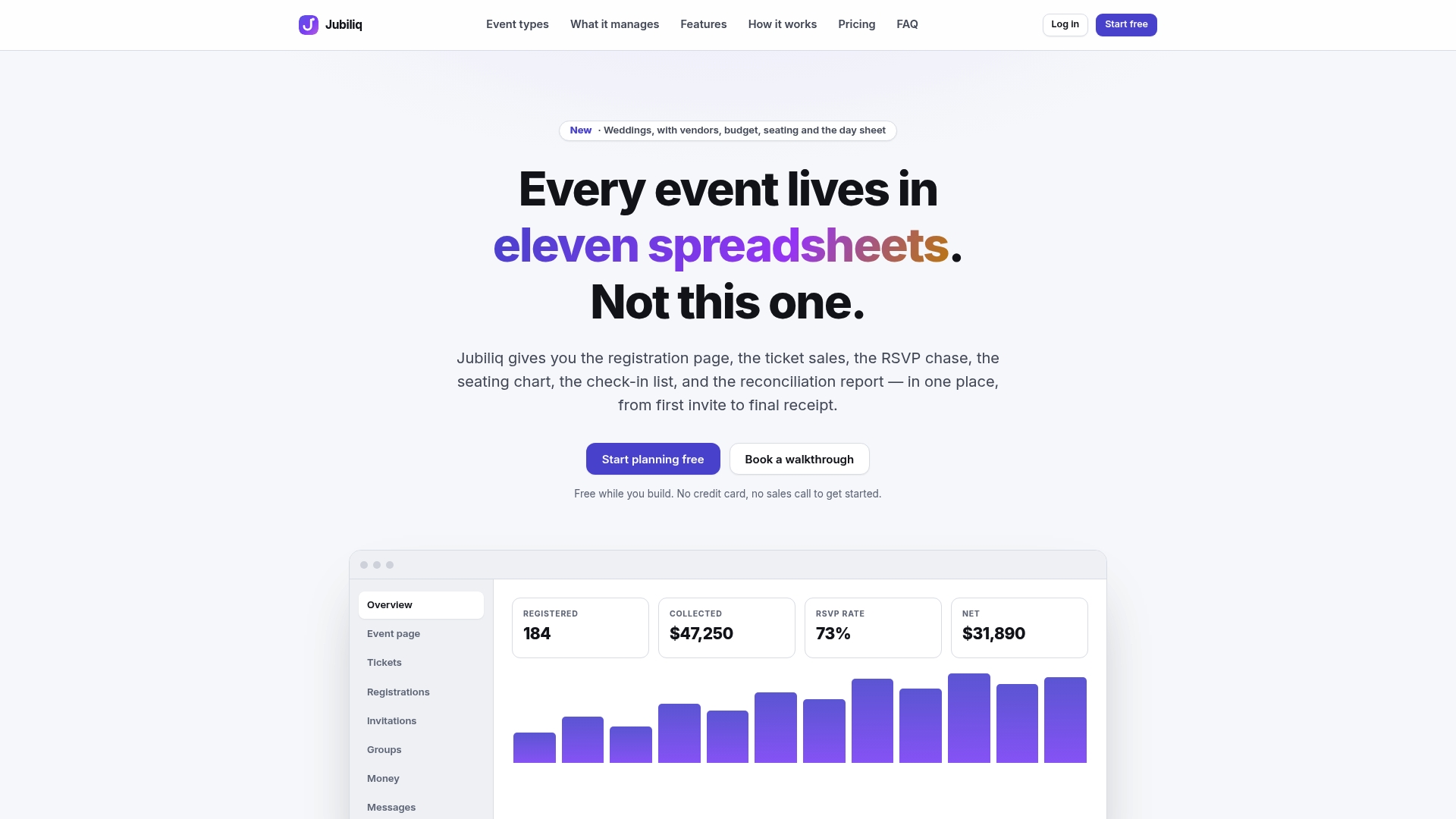
The planning interface adjusts to the event type you’re running, surfacing fields needed for hybrid conferences (session tracks, ticket tiers, sponsor packages) while hiding unrelated ones. That cuts setup time when building a run-of-show against a tight rehearsal window. A printable day sheet consolidates the schedule, owner assignments, and contact list your producer and AV lead need on event day, without hunting through email threads.
Plans range from a free tier for events without paid tickets to paid plans for registrations and ticket sales, up to options for multi-event organizations. Check the current plans and features to see which fits your next hybrid build.
Checklists and studies worth bookmarking
The Stanford Office of Special Events and Protocol guide covers platform selection, roles, and troubleshooting in detail. The EIFL hybrid event checklist gives a full planning-to-follow-up sequence with suggested timing. Use both as sign-off templates during your own rehearsal planning rather than a one-time read.
Sources
- Hybrid Communication Models in International Academic Conferences: Evaluating Engagement and Knowledge Dissemination | Lex Localis
- Organizing a hybrid event: a checklist (EIFL)
- Virtual and Hybrid Event Planning - Office of Special Events & Protocol
FAQ
What is hybrid event management?
Hybrid event management means coordinating one event across two connected audiences, in-person and virtual, as linked productions rather than a single broadcast. It covers production, registration, accessibility, and engagement decisions made separately for each audience, as outlined in Stanford’s hybrid event planning guidance.
How to plan a hybrid event?
Start with a format decision based on audience distribution and goals, then build a timeline scaled to complexity, ranging from 6 to 8 weeks for a small event up to 6 to 12 months for a large one per the EIFL checklist. Lock production specs, accessibility requirements, and named team roles early, then rehearse the full run-of-show including a simulated technical failure before event day.
What are the three types of event planning?
Events are typically planned as in-person, virtual, or hybrid formats, each with distinct production and engagement requirements. Hybrid sits between the other two, requiring separate planning tracks for a physical venue and a virtual production rather than treating one as an extension of the other.
What are the disadvantages of hybrid events?
Hybrid events cost more to produce well, since they require a full virtual production stack alongside standard in-person costs, and they demand more staff roles, including a dedicated virtual host and accessibility coordinator. Without adequate rehearsal and moderation, virtual attendees often disengage quickly, a pattern practitioner guidance ties directly to underfunded, single-camera “broadcast” setups.