Five Step Event Risk Assessment for Organizers With Ready Templates

Five Step Event Risk Assessment for Organizers With Ready Templates
An event risk assessment is a structured process for spotting what could go wrong at your event, judging how bad it would be, and putting controls in place before it happens. Start now: open a blank spreadsheet, list every hazard you can think of in one column, and you’ve begun your risk register. Templates and a worked scoring example follow below.
TL;DR:
- The risk assessment process should involve venue, security, legal, and key vendors from the start and be revisited at every major planning milestone.
- Use a risk matrix with a scoring system from 1 to 3 or 5 to evaluate likelihood and impact, then escalate risks scoring 6 or higher for immediate action.
- A comprehensive risk register must include hazard description, location, affected parties, controls in place, owners, deadlines, and review status, with regular updates and threshold guidelines.
- Common hazards such as severe weather, crowd density, and equipment failures require specific controls like pre-set triggers, designated owners, and detailed site inspections during the event.
- A dedicated safety officer on site, clear evacuation plans, and staff training aligned with documented procedures are essential to manage emergencies effectively.
Table of Contents
- What Is an Event Risk Assessment and Why Does It Matter?
- The Step-by-Step Risk Assessment Workflow
- How Do You Score Risks on a Matrix?
- What Are the Most Common Event Hazards and How Do You Control Them?
- How Do You Plan for Emergencies and Test the Plan?
- Which Fields Belong in a Risk Assessment Template?
- Who Needs to Be on Site, and What Training Do They Need?
- What Should You Check in Contracts, Insurance, and Permits?
- What Should a Pre-Event Site Inspection Cover?
- How Do You Turn Post-Event Findings Into Real Improvements?
- How Does a Planning Platform Fit Into This Workflow?
- Experienced Planner Takeaways
- How Do You Get Started With Jubiliq?
- Where Can You Find More Authoritative Guidance?
- Sources
- FAQ
What Is an Event Risk Assessment and Why Does It Matter?
An event risk assessment identifies hazards tied to your program, venue, suppliers, and attendees, then scores and controls them before they turn into incidents. Done right, it protects four things at once: physical safety, legal standing, your reputation, and your budget. Skip it, and you’re gambling with all four at the same time.
Event risk management is described by the Events Industry Council as an ongoing process, not a one-time form. It runs across operational safety, weather exposure, data security, reputational fallout, and vendor performance, and it keeps running until the last guest leaves and the final invoice clears.
Responsibility usually sits with the event organizer or a designated safety officer, but the process only works when other people show up early. That means:
- The venue or facilities manager, who knows the building’s real limitations
- Security and stewarding leads, who understand crowd behavior on the ground
- Your insurance broker or legal contact, who flags liability gaps before contracts get signed
- Key vendors (catering, staging, electrical), who carry hazards you don’t directly control
Risk assessment isn’t a phase you complete once during planning and file away. It belongs at the kickoff meeting, gets revisited at every major planning milestone, and gets a final pass during the site walk-through the week of the event.
The Step-by-Step Risk Assessment Workflow
HSE guidance breaks event risk management into five steps: identify hazards, assess the risks, control them, record what you did, and review it afterward. That structure works whether you’re running a fifty-person fundraiser or a multi-day festival, and it directly answers the most common search query on this topic, the “five things a risk assessment should include.”
1. Identify hazards systematically, not from memory. Work through five categories every time: the program itself (fireworks, live performances, alcohol service), the site (uneven ground, blocked exits, stairs), people (crowd size, vulnerable attendees, volunteer fatigue), suppliers (a caterer’s food safety record, a staging company’s certification), and data (ticketing systems, guest lists, payment processing). Missing a category is the single most common gap in amateur risk assessments. Nobody forgets to think about weather. Plenty of organizers forget to think about what happens if the ticketing platform goes down an hour before doors open.
2. Evaluate each risk by likelihood and impact. Score every hazard on two axes, usually a simple 1 to 3 or 1 to 5 scale for how likely it is and how severe the consequences would be. A minor spilled-drink slip hazard scores low on both. A severe weather warning during an outdoor concert scores high on both, which is exactly the kind of item that needs a pre-written decision trigger, not a judgment call made in the moment.
3. Choose controls and assign real ownership. A control without an owner is just a wish. Every entry needs a named person, a deadline, and, where relevant, a trigger condition that activates the control (for example, “wind speeds above 40 mph trigger stage evacuation, decision owner: site manager”).
4. Record everything in a risk register. Your register should function as a working document, not a compliance form filed away and forgotten. At minimum, it needs these fields:
- Hazard description
- Location or area affected
- Who is at risk (staff, attendees, contractors, vulnerable groups)
- Likelihood score
- Impact score
- Existing control measures
- Further action required
- Owner
- Due date
- Status (open, in progress, closed)
- Comments or review notes
This field list mirrors what Bizzabo’s leadership guide recommends: hazard, likelihood, impact, mitigations, triggers, owners, and a communication template attached to each high-severity item.
5. Review controls on a set cadence, not just once. For a single-day event, review the register at kickoff, at the halfway planning mark, at the final production meeting, and again during the site walk-through. For multi-day festivals, add a daily review during the event itself.
Pro Tip: Color-code your register by status the moment you build it. Green for closed, yellow for in progress, red for anything untouched two weeks before doors open. A glance at the sheet should tell you where the fire is before anyone has to ask.
Escalation thresholds matter as much as the scoring itself. Decide in advance which risk scores automatically get flagged to the event director versus which ones a department lead can close on their own. Without that line drawn ahead of time, every medium-severity item ends up in an email thread at 11 p.m. the night before doors open, and that’s precisely the kind of scramble that proactive planning is meant to eliminate.
How Do You Score Risks on a Matrix?
A risk matrix turns two subjective judgments, likelihood and impact, into one number you can act on consistently. Most event teams use a 3x3 grid: score likelihood from 1 (rare) to 3 (likely), score impact from 1 (minor) to 3 (severe), then multiply the two numbers to get a risk score from 1 to 9.
| Score range | Action required | Example response |
|---|---|---|
| 1 to 2 | Monitor only | Log it, no further action unless conditions change |
| 3 to 4 | Mitigate | Assign an owner, add a control, set a review date |
| 6 to 9 | Stop and escalate | Immediate decision by event director; may require pausing or canceling activity |
A worked example makes this concrete. Say you’re running an outdoor evening concert with a large crowd capacity. Two weeks out, the weather service issues a moderate chance of thunderstorms during the show window.
- Likelihood: 2 (possible, not certain)
- Impact: 3 (severe, since lightning near an open field means evacuation, not just discomfort)
- Score: 6, which lands squarely in “stop and escalate” territory
That score doesn’t mean you cancel the concert two weeks out. It means you assign an owner (the site manager), set a monitoring cadence (check the forecast every six hours starting 48 hours before doors), and pre-write the trigger (a live lightning-detection alert within 10 miles activates evacuation to designated shelter points, no debate, no delay). The score tells you how much preparation the risk deserves, not what the final decision will be.
A second example: a vendor’s generator has a known history of intermittent failure. Likelihood scores 2, impact scores 2 (annoying, disruptive, but not dangerous if backup lighting exists), giving a score of 4. That’s a mitigate item: confirm a backup generator is on-site and test it during setup, but it doesn’t need an event-director sign-off.
What Are the Most Common Event Hazards and How Do You Control Them?
Most event incidents fall into a short list of repeat offenders. Industry risk guides consistently flag severe weather, medical emergencies, transportation disruption, vendor failure, and crowd density as the highest-impact categories to prepare for, and the control measures for each are well established.
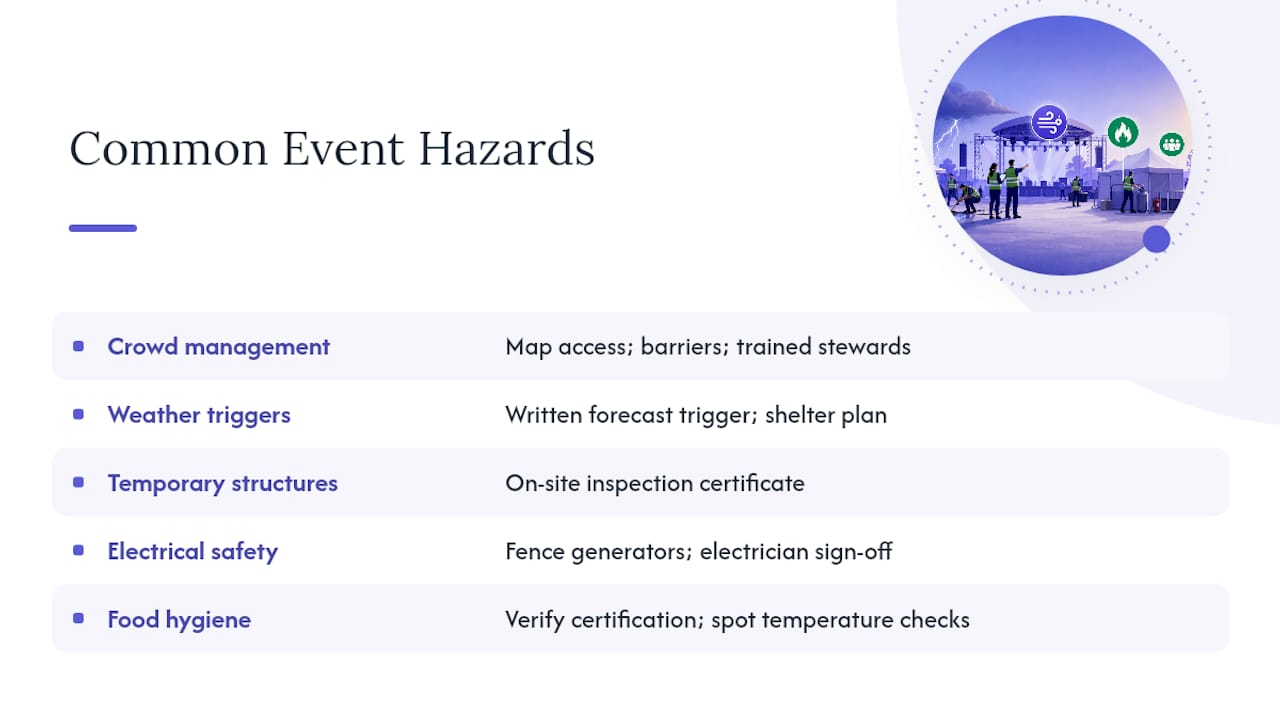
Crowd management. Map ingress and egress points before you finalize the site layout, not after. Use physical barriers to prevent bottlenecks at pinch points, and staff every major crossing with a trained steward who can redirect flow if a queue backs up.
Weather and outdoor exposure. Set a specific forecast trigger in writing (wind speed, lightning proximity, heat index) rather than leaving the call to whoever happens to be watching the sky. Have a shelter plan and drainage plan ready before the first ticket sells, not after the ground floods.
Temporary structures and staging. Every marquee, stage, and rigging system needs an inspection certificate from a qualified contractor, checked on-site the day of, not just on paper from the delivery invoice.
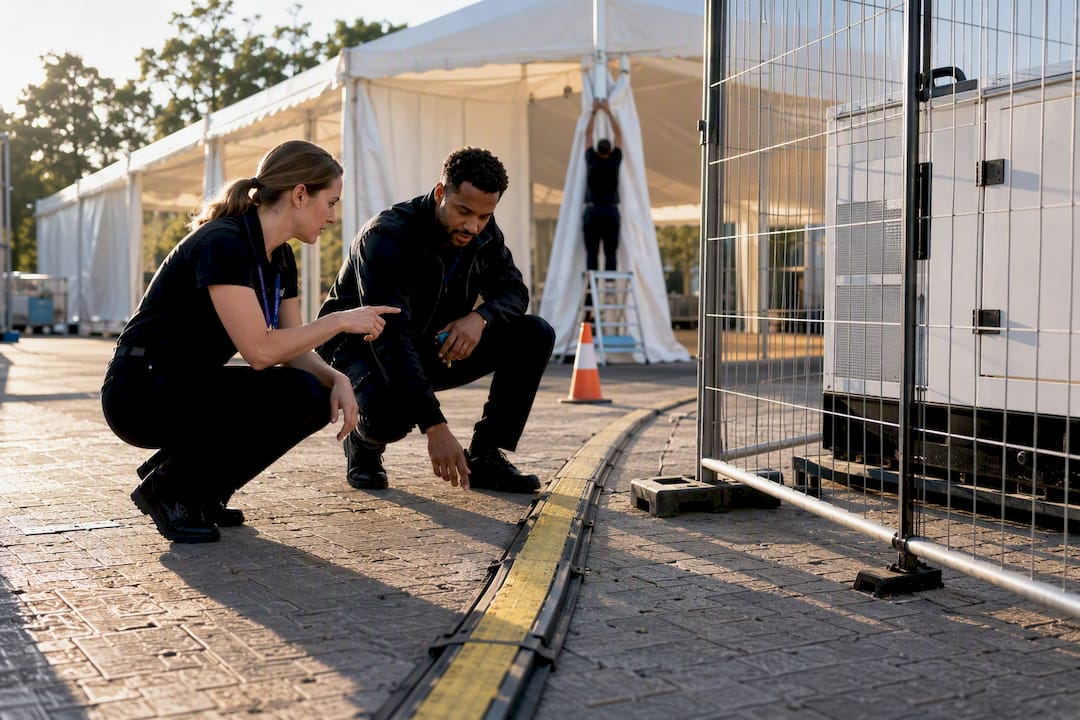
Electrical and generator safety. Fence off generators and distribution boards, keep cabling out of walkways, and confirm a qualified electrician has signed off on the full setup, especially anywhere cabling crosses a public path.
Food vendors and hygiene. Verify every food vendor’s hygiene certification before they arrive, and do a spot check of holding temperatures during setup rather than assuming the paperwork covers the practice.
Manual handling and fatigue. Volunteers lifting tables and staging equipment for ten hours straight are a predictable injury source. Build in rotation schedules and mandatory breaks, and brief everyone on lifting technique before the first crate moves.
Vehicles, parking, and traffic. Segregate pedestrian routes from vehicle access wherever delivery trucks or emergency vehicles need to move through the site, and mark those routes physically, not just on a map nobody carries.
Security and data resilience. Basic security coverage matters, but so does the less visible risk: what happens if your ticketing system or guest-list database goes down mid-event. Keep a printed backup of check-in lists and payment records as a fallback, every time.
How Do You Plan for Emergencies and Test the Plan?
An emergency plan needs three things to actually function under pressure: clear evacuation routes, designated meeting points, and a contact list for emergency responders that’s been confirmed, not just copied from last year’s document.
Build a one-page communication template before the event, not during it. You want two versions ready to fill in and send within minutes: one for attendees (short, calm, specific instructions) and one for stakeholders like sponsors, vendors, and staff (more detail, including current status and next steps). Trying to draft a coherent message from scratch during an actual incident wastes the minutes you don’t have.
1. Run a tabletop exercise at least once before a mid-size or large event. Gather the key decision makers, security lead, comms lead, event director, venue contact, and walk through a realistic scenario out loud: a severe weather warning two hours before doors, a medical emergency in a dense crowd area, a vendor no-show. Tabletop exercises are one of the most effective ways to expose gaps, because they force cross-functional coordination under simulated time pressure instead of leaving it to chance on the day.
2. Capture what breaks. Every exercise should end with a short list: what worked, what stalled, who was unclear on their role, and what needs a rewritten procedure before the real event.
3. Set decision triggers in advance. Wind speed thresholds, a specific lightning proximity, a named security alert level. Write these down and assign one single source of truth, usually the event director or safety officer, who makes the final call so five people aren’t independently deciding whether to evacuate.
Pro Tip: Keep your tabletop exercise under 45 minutes. Longer sessions lose focus and people start hedging instead of reacting the way they actually would on the day.
Which Fields Belong in a Risk Assessment Template?
A reusable template saves you from rebuilding the wheel every event, but it only works if the fields are specific enough to act on. At minimum, build in: hazard, location, who is at risk, existing control, further action needed, owner, due date, status, and comments.
| Field | Purpose | Example entry |
|---|---|---|
| Hazard | What could go wrong | Slippery floor near bar area |
| Location | Where it applies | Main tent, north entrance |
| Who at risk | Affected group | Attendees, bar staff |
| Existing control | What’s already in place | Non-slip mats, warning signage |
| Further action | What still needs doing | Add second mat by second bar |
| Owner | Who’s accountable | Venue operations lead |
| Due date | When it’s needed by | 3 days before event |
| Status | Current state | In progress |
| Comments | Context or review notes | Checked during walk-through, 4/10 |
Community events and large festivals need different depths of the same template, not different templates entirely.
- A small community fair might run a single-page register with ten to fifteen line items covering the obvious hazards: parking, food stalls, basic first aid.
- A multi-day festival needs the same fields but multiplied across stages, zones, and time blocks, often with a separate register per production department that rolls up into one master document.
Council and university example templates are a solid starting point for the field structure, but adapt them rather than copying verbatim. Local guidance from East Cambridgeshire makes the same point: a template is a practice aid, and the organizer still has to tailor it to the specific hazards of their own site and program.
Most spreadsheet templates export cleanly as CSV, which means you can drop them straight into whatever planning tool your team already uses, whether that’s a shared spreadsheet or a dedicated event platform with a built-in register.
Who Needs to Be on Site, and What Training Do They Need?
Every event needs one named event safety officer, someone whose job that day is safety and nothing else, not a department head juggling six other responsibilities at once. That person is the single point of contact for incidents and the one who makes the call on evacuation triggers set during planning.
Stewarding and first-aid ratios scale with crowd size and event type, and there’s no single number that fits every event. A seated indoor conference needs far less coverage than an outdoor festival with alcohol service and standing crowds. Work backward from your specific hazard profile rather than a generic industry rule of thumb, and confirm ratios with your venue or local licensing authority, since requirements vary by jurisdiction.
Before the doors open, every volunteer and contractor needs a briefing that covers:
- Their specific role and who they report to
- Evacuation routes and meeting points
- Who to contact for a medical emergency versus a security concern
- What they are not authorized to decide on their own
Competency matters as much as enthusiasm. A volunteer directing traffic near a vehicle access point needs different training than one checking wristbands at a gate, and treating those as interchangeable roles is a common, avoidable mistake.
What Should You Check in Contracts, Insurance, and Permits?
Insurance and contract review is where a lot of financial exposure quietly slips through, mostly because nobody reads the fine print until after something goes wrong.
- General liability coverage, with a certificate of insurance naming your organization as an additional insured, requested from every vendor before they set foot on site.
- Event cancellation insurance, particularly for outdoor events with weather exposure or high upfront vendor deposits.
- Force majeure and reschedule clauses in every vendor contract, specifying what happens to deposits and fees if the event is postponed or canceled for reasons outside anyone’s control.
- Indemnity language that clearly states who’s liable for what, rather than vague mutual clauses that leave the question unresolved until a dispute forces the issue.
- Permits, which vary by jurisdiction and event type but typically cover noise, alcohol service, temporary structures, and food handling. Confirm early who is responsible for securing each one, since permit lead times can run weeks longer than organizers expect.
What Should a Pre-Event Site Inspection Cover?
A site walk-through the week of the event catches what planning documents miss, and it should follow a set order rather than a wandering tour.
1. Access and egress first. Walk every entrance, exit, and emergency vehicle route, confirming nothing has been blocked by late-arriving deliveries or staging equipment.
2. Temporary structures, power, and trip hazards next. Check every marquee anchor point, generator fence, and cable run for anything that’s shifted since setup began. A structured dock or venue walk checklist with photo evidence at each stop makes this step far easier to document and repeat consistently.
3. Sanitation, food vendor layout, and first-aid location. Confirm the first-aid post is visible and marked, not tucked behind a vendor tent where nobody can find it in an emergency.
4. Signage, lighting, and crowd pinch points last. Walk the site again at the time of day the event actually runs, since a route that looks fine at noon can be a hazard after dark without adequate lighting.
Bring the safety officer, venue contact, and at least one steward lead on this walk-through together, so decisions get made on the spot instead of relayed secondhand.
How Do You Turn Post-Event Findings Into Real Improvements?
A debrief only has value if it happens within a few days, while details are still fresh, and includes the people who were actually on the ground: stewards, vendors, security, and the safety officer, not just the leadership team reviewing a summary.
Sort every finding into one of three categories: immediate fixes (something broken that needs fixing before the next event, full stop), procedural changes (a step in the process that needs rewriting), and training updates (a gap in what staff or volunteers knew going in).
Update your risk register template the same week, while the specifics are still clear, and set a follow-up date to confirm the changes actually got made rather than just noted and forgotten.
How Does a Planning Platform Fit Into This Workflow?
The template fields and workflow above work on paper or in a spreadsheet, but a platform built around event coordination can operationalize them without extra manual tracking. An event planning platform’s structure can map onto several parts of the process directly.
- A centralized register keeps every risk entry, owner, and status update visible to the whole team in real time, instead of scattered across email threads and disconnected spreadsheets.
- The printable day sheet gives your safety officer and stewards a single physical reference on-site, useful when a phone screen isn’t practical during a fast-moving situation.
- Vendor and contract tracking supports the insurance and permit checks covered above, since certificates and contract terms live in one place instead of a folder nobody can find under pressure.
- Task assignments with deadlines mirror the owner and due-date fields your risk register needs, so a control measure doesn’t just sit logged with nobody accountable for closing it.
None of this replaces judgment on the day. It just means the paperwork doesn’t compete with your attention when you need it most.
Experienced Planner Takeaways
The biggest mistake teams make isn’t skipping the risk assessment. It’s writing one, filing it, and never looking at it again until something goes wrong. The organizers who handle incidents well are the ones who brought venue, security, and comms leads into the room before contracts were signed, not after, because that early coordination is what surfaces the blind spots nobody catches alone.
Keep the register simple enough that someone new to the team can read it and immediately know who owns what. Complexity feels thorough, but it usually just hides accountability gaps. And run the tabletop exercise even when you’re confident nothing will go wrong. Confidence is exactly the condition under which teams skip the fifteen-minute conversation that would have caught the one thing they missed.
— HCRF
How Do You Get Started With Jubiliq?
Building a risk register from scratch works fine for a single event. Running it across a wedding season or a full year of corporate functions is where a spreadsheet starts breaking down, and where a dedicated coordination layer earns its place. Some event planning platforms are built around similar fields this guide covers: adaptive planning interfaces that surface owner assignments, task deadlines, and vendor status in one dashboard, so risk controls don’t live in a separate document from the rest of event planning.
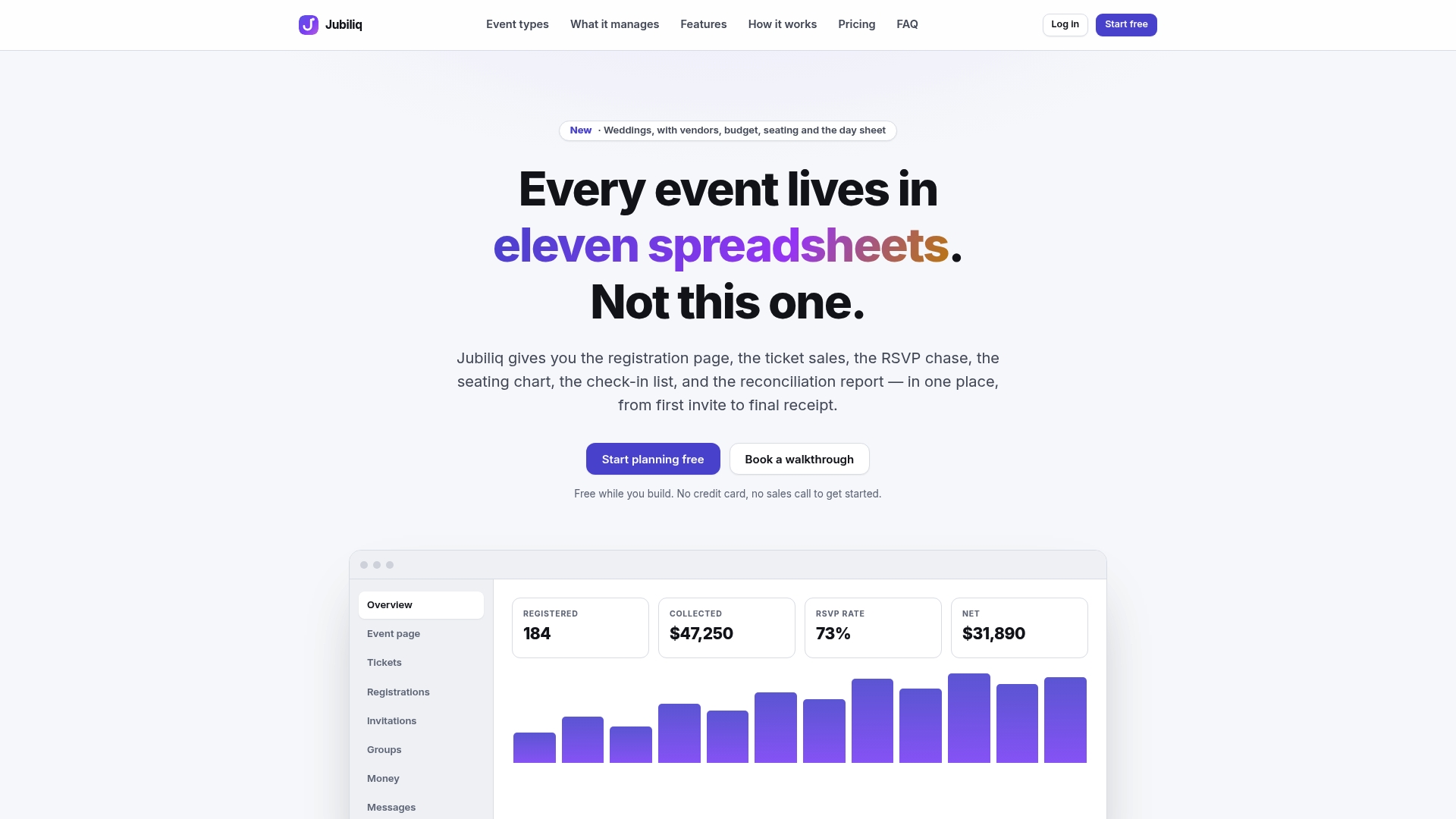
The templates and checklist fields laid out above import into most planning tools without modification, spreadsheets included, so switching to a platform doesn’t mean starting over. If your events involve paid registration, ticket sales, or vendor and contract tracking that needs to stay connected to your safety planning, take a look at Jubiliq’s event planning platform and see how the day sheet and vendor tracker line up with the workflow you just read. Set up your first event and build your risk register directly inside the same dashboard you’ll use to run the day itself.
Where Can You Find More Authoritative Guidance?
- The HSE step-by-step guidance covers the legal minimum process required for identifying, controlling, and recording risk.
- The Events Industry Council’s Risk Management Guidebook offers the industry’s broader framework for ongoing risk management, not just single-event checklists.
- MPI’s writing on proactive mitigation and Bizzabo’s leader’s plan give operational playbooks for scaling risk practices across a planning team.
- Council templates, including Oldham Council’s example assessment, offer copy-paste field structures worth adapting to your own event.
Sources
- Risk Management Guidebook
- Risk assessment: Steps needed to manage risk - HSE
- Event risk assessment and management | NSW Government
- Event Risk Management: A Leader’s 30-60-90 Plan
FAQ
What Are the Five Things a Risk Assessment Should Include?
A complete risk assessment identifies hazards, assesses the associated risks, applies controls, records the findings, and reviews those controls over time, following the core process HSE outlines.
What Are the 5 Risk Assessment Methods Event Planners Use?
Common methods include hazard checklists by category, likelihood and impact scoring on a risk matrix, tabletop exercise testing, standardized risk registers, and structured pre-event site inspections, each covering a different stage of the process.
What Are the 3 C’s of Risk Assessment?
Definitions vary across industries, but for events a practical version is Check (identify hazards on-site), Control (apply measures with a named owner), and Communicate (make sure the plan and its triggers are shared with everyone who needs to act on them).
How Often Should a Risk Register Be Reviewed?
Review it at kickoff, at major planning milestones, during the final pre-event site inspection, and daily for multi-day events, since conditions and vendor status change throughout planning.
Can Software Help Manage Event Risk Assessments?
Yes. A centralized event planning platform can track owners, deadlines, and status updates across a risk register in real time, which reduces the version-control problems common with shared spreadsheets.