Event Planners: 4 Steps and 5 Templates for Cancellation Emails

Event Planners: 4 Steps and 5 Templates for Cancellation Emails
Send a cancellation email the moment your decision is final. State plainly that the event is canceled, summarize how and when refunds will happen, and give one clear contact for questions. Do not wait for a “perfect” draft. Attendees need this information now, not after you have polished every sentence.
TL;DR:
- Cancel ticket sales immediately to prevent confusion and ensure refunds process without delay.
- Clearly state the cancellation, refund timeline, and contact details in the email, avoiding vague language or delays.
- Confirm and document all vendor, venue, or sponsor communications before notifying attendees to avoid disputes.
- Match your cancellation message across all channels and post it promptly on your event page and social media to maintain trust.
- Send follow-up notifications once refunds are processed or new dates are confirmed, to reassure attendees and reduce support inquiries.
Table of Contents
- How Do You Write an Event Cancellation Email?
- What Should an Event Cancellation Email Include?
- Ready-to-Use Templates for Common Cancellation Scenarios
- Should You Cancel, Postpone, or Reschedule?
- How Do Refunds Work After an Event Is Canceled?
- Is Your Cancellation Email Accessible to Everyone?
- What Subject Line Gets a Cancellation Email Opened?
- How Should You Respond to Attendee Replies?
- What Legal Details Belong in a Cancellation Notice?
- How Do You Protect Your Reputation After a Cancellation?
- What Should You Send After the Initial Cancellation Notice?
- Why Trust Recovers Faster Than You Think
- How Jubiliq Handles Cancellations Without the Manual Scramble
- Sources
- FAQ
How Do You Write an Event Cancellation Email?
Before you write a single word, you need to lock down the operational side. A beautifully worded email sent to a ticketing system that’s still processing sales creates chaos, not clarity.
Here’s the sequence that prevents the most common mistakes:
- Stop ticket sales immediately. Disable your event page’s checkout, pause auto-confirmation emails, and pull paid listings from any marketplace or aggregator site.
- Confirm refund mechanics before you promise anything. Talk to your payment processor and ticketing platform about how refunds will actually process, how long they take, and whether fees are refundable. Promising something your processor can’t deliver in the stated window creates a second wave of complaints.
- Notify vendors, venue, and sponsors first, and get it in writing. A verbal “yes, we’re canceling” from a caterer means nothing if a dispute comes up later. Get written confirmation before you tell attendees.
- Segment your audience and choose your channels. VIPs, speakers, and sponsors often deserve a personal call or a separate email before the general blast goes out. Eventbrite’s guidance on graceful cancellations recommends notifying attendees as soon as the decision is final, ideally within 24 hours, since delay is what turns a manageable situation into a reputation problem.
Only after these four steps are locked down should you turn to drafting the message itself. Sending the email before sales are stopped is how organizers end up processing refunds for tickets sold after the event was already dead.
What Should an Event Cancellation Email Include?
Every cancellation notice needs five things, no exceptions. Skip one and you’ll spend the next week fielding the same question over and over.
- A subject line that can’t be missed or misread. “[Event Name] Canceled” beats “Update on [Event Name]” every time. Vague subjects get skimmed, filed, or ignored.
- An opening sentence that states the cancellation without hedging. Don’t bury it in paragraph three. Say it first.
- A brief, factual reason and a genuine apology. One or two sentences. You don’t owe attendees a full incident report, and over-explaining can read as defensive.
- Refund or next-step instructions with a realistic timeline. “Refunds will process within a reasonable timeframe” is far more useful than “refunds are being handled.”
- A dedicated contact and a link to an FAQ or support page. This one detail does more to cut down follow-up emails than anything else in the message.
Including these five elements consistently reduces the volume of confused, duplicate support requests that flood in after a poorly worded notice.
Pro Tip: Write your FAQ link before you write the email. If you can answer “will I get a refund” and “is there a new date” in a linked page, half your inbox traffic disappears before it starts.
Ready-to-Use Templates for Common Cancellation Scenarios
Different reasons for cancellation call for different tones. A weather cancellation reads casually alarmed; a health and safety cancellation reads measured and factual. Adapt the bracketed sections below to your event.
1. Weather cancellation
Subject: [Event Name] on [Date] — Canceled Due to Weather
Hi [First Name], for the safety of our attendees and staff, we’re canceling [Event Name] scheduled for [Date] due to forecasted severe weather. Refunds will be issued automatically to your original payment method within a realistic timeframe. Questions? Reach us at [contact email/phone].
2. Health and safety cancellation
Subject: [Event Name] Canceled — Health and Safety Notice
We’re canceling [Event Name] following current public health guidance. Your ticket will be refunded in full within [X] business days; no action is needed on your part. For more on the guidance behind this decision, visit [relevant public health authority link].
3. Venue or vendor failure
Subject: [Event Name] Canceled — Venue Issue
Due to an unresolved issue with our venue, we’re canceling [Event Name] on [Date]. We know this is disappointing, and we’re sorry for the short notice. Refunds process automatically within a realistic timeframe; contact [name/email] with any questions.
4. Postponement or reschedule
Subject: [Event Name] Postponed — New Date to Follow
[Event Name] originally scheduled for [Date] is postponed. Your ticket automatically transfers to the new date once confirmed, or you can request a full refund by [deadline]. We’ll follow up by [date] with confirmed details.
5. Last-minute urgent cancellation
Subject: URGENT: [Event Name] Canceled Today
[Event Name] is canceled effective immediately. Please do not travel to the venue. Refunds will begin processing promptly. We’re also sending this notice by text and posting it on our event page and social channels.
For that last scenario, email alone isn’t enough. Send SMS or a phone call to VIPs and high-value ticket holders in addition to the blast, since same-day cancellations often reach people who’ve already left for the venue.
Should You Cancel, Postpone, or Reschedule?
Postponing makes sense when your content is still relevant later and your speakers or venue have real availability. If your keynote speaker is booked solid for the next year, don’t offer a reschedule you can’t deliver.
When you can reschedule, give attendees a clear path forward:
- Offer priority transfer to the new date with no extra paperwork required.
- Provide a ticket credit toward a future event if the new date doesn’t work for them.
- Offer a straightforward refund for anyone who wants out entirely.
Never promise a specific new date unless it’s confirmed with your venue and key vendors. “We’re exploring dates in the fall” is honest; “see you in October” is a commitment you might break twice. If a reschedule genuinely isn’t happening, don’t leave attendees guessing. Commit to a refund timeline and a contact person, and skip the soft language that makes people wonder if there’s still hope.
How Do Refunds Work After an Event Is Canceled?
Attendees want two things immediately: their money back and a sense that someone is handling it competently. Give them both.
- State the refund method and timeframe plainly. “Refunds go back to your original payment method within 7 to 10 business days” is specific enough to stop most follow-up questions before they start.
- Tell attendees to hold onto travel and hotel receipts. If they plan to seek compensation for related costs, they’ll need documentation. Consumer protection rules on this vary by jurisdiction. In Australia, ACCC guidance on event ticket purchases notes that refund entitlement depends on the reason for cancellation, the nature of the change, and the ticket terms, and Western Australia’s consumer protection office adds that attendees may be able to claim related travel losses in some circumstances.
- Sync your public message with your processor before you send anything. If your payment gateway needs three business days to actually push refunds, don’t tell attendees “immediately.” That gap between what you promise and what actually happens is where trust erodes fastest.
Is Your Cancellation Email Accessible to Everyone?
A cancellation notice that a screen reader can’t parse, or that loads as a single image with no text, fails the people who most need clear information fast.
- Always send a plain-text version alongside any HTML design, and set the email’s language attribute correctly for assistive readers.
- Follow the W3C’s G164 technique, which recommends stating any window during which a request can be amended or canceled and describing the process clearly, not just linking to it.
- Skip image-only layouts. Use real text for your CTA and descriptive link text instead of “click here.”
- Test the email in major clients before sending, and check your spam and deliverability metrics afterward, since WCAG-aligned transactional emails reduce complaints and reach recipients using assistive technology more reliably.
Pro Tip: Run your cancellation email through a plain-text preview before sending. If it reads clearly with zero images and zero formatting, it will work for every recipient, not just the ones with a modern inbox.
What Subject Line Gets a Cancellation Email Opened?
Your subject line is doing triage work. Get it wrong and attendees skim past the one message they actually need to read.
- Use direct formulas: “[Event Name] on [Date], Canceled” or “Important: [Event Name] Canceled.”
- Write a preheader that adds the next fact, not filler: “Refunds process within 7 business days” tells more than “See details inside.”
- Add the recipient’s name or ticket ID for VIPs and high-value registrations. It signals this isn’t a mass blast they can ignore.
- Avoid vague subjects like “Update” or “Important Change.” They read as newsletter fodder and get lower open rates precisely when you need the opposite.
How Should You Respond to Attendee Replies?
Once your cancellation notice goes out, replies start arriving within minutes. Most fall into three buckets, and having a template ready for each saves hours.

For refund status questions, a short reply works best: “Your refund was processed on [date] and should appear within [X] business days. If it hasn’t arrived by [date], reply here and we’ll investigate.” Don’t make attendees repeat their order number if you can look it up first.
For attendees asking about a reschedule, be honest about your certainty level: “We don’t have a confirmed new date yet. As soon as we do, you’ll be among the first to hear, and your ticket will automatically transfer unless you request a refund.” Never invent a placeholder date just to give someone an answer.
For angry or frustrated replies, resist the urge to over-explain. Acknowledge the frustration in one sentence, restate the refund timeline, and offer your direct contact. A calm, consistent reply script prevents any one team member from freelancing a promise the organization can’t keep. If your team is small, designate one person to handle all reply traffic for the first 48 hours. Consistency matters more than speed here. A dozen slightly different answers to the same question is how a cancellation turns into a credibility problem.
What Legal Details Belong in a Cancellation Notice?
Refund obligations are not universal. They depend on your jurisdiction, your ticket terms, and the reason for the cancellation, so avoid blanket promises your terms of service don’t actually back up.
Review your own ticket terms and conditions before you draft the email. If your terms already state a refund policy for cancellations, your email needs to match it exactly, not soften or expand it. Contradicting your own posted terms creates a real dispute risk, not just a confused attendee.
Where the cancellation stems from public health concerns, reference current guidance from an authoritative source rather than making your own medical claims. Organizations routinely point to pages like the World Health Organization’s coronavirus topic page or an equivalent national health authority when explaining the rationale, which keeps the reasoning credible and out of legal gray area.
Keep a written record of every decision, notification, and vendor confirmation tied to the cancellation. If a dispute arises weeks later over a refund or a claimed loss, that record is what protects you. Verbal agreements with vendors or informal social media posts don’t hold up the same way a dated email chain does. This isn’t about distrust. It’s about having an answer ready if a ticket holder or a vendor challenges the timeline later.
How Do You Protect Your Reputation After a Cancellation?
The events that recover fastest from a cancellation are the ones that communicated first and communicated everywhere, not just in a single email.
Post the cancellation notice on your event page, your social channels, and in the email simultaneously, and match the tone across all three. An event page that still shows “Buy Tickets” three hours after your email went out is the single fastest way to look disorganized. A multi-channel approach with a linked FAQ page anticipates the top attendee questions before they turn into a flood of individual replies.
Own the reason in plain language, even when it’s uncomfortable. Attendees forgive a canceled event far more readily than they forgive a vague or evasive one. If the cancellation stemmed from a venue issue, a permit problem, or budget shortfall, a short factual sentence beats a paragraph of corporate hedging. And if the failure involved a specific logistical gap, like inadequate site facilities for an outdoor event, addressing it directly in your postmortem communication (even briefly) shows attendees you understand what went wrong. Some of these issues, like restroom or facility shortfalls at outdoor venues, are avoidable with better advance planning for outdoor event logistics.
Follow through on every promise in your original email. If you said refunds in seven days, refunds should land in seven days. Reputation damage from a cancellation itself is usually temporary. Reputation damage from broken follow-up promises tends to stick.

What Should You Send After the Initial Cancellation Notice?
The first email is rarely the last one attendees need. Plan a short follow-up sequence rather than going silent after the initial notice.
Send a confirmation once refunds have actually processed, even a brief one: “Your refund has been completed.” This closes the loop for attendees who were waiting to hear back and cuts down on “did my refund go through” emails.
If a reschedule is in progress, commit to a specific update date, even if the news is “still no confirmed date, next update on [date].” Silence during a reschedule window reads as abandonment, even when your team is actively working on it.
Once a new date or a future event is confirmed, send a dedicated announcement rather than folding it into an unrelated newsletter. Attendees who stuck with you through a cancellation deserve to feel like the first to know, not an afterthought in a general marketing blast.
Why Trust Recovers Faster Than You Think
Cancellations feel like reputational disasters in the moment, but the data on how people actually respond tells a calmer story: attendees forgive disruption far more readily than they forgive silence or broken promises. What breaks trust isn’t the cancellation itself. It’s ambiguity about refunds, vague timelines, and inconsistent answers across channels.
Document every decision as you make it, from the moment you confirm the cancellation with your venue to the last refund processed. That audit trail isn’t just a legal safeguard. It’s what lets you answer any attendee’s question the same way, every time, without guessing.
— HCRF
How Jubiliq Handles Cancellations Without the Manual Scramble
Jubiliq is built for the moment you’re actually dreading: sending one consistent message to hundreds of attendees while refunds, vendors, and support requests all hit at once.
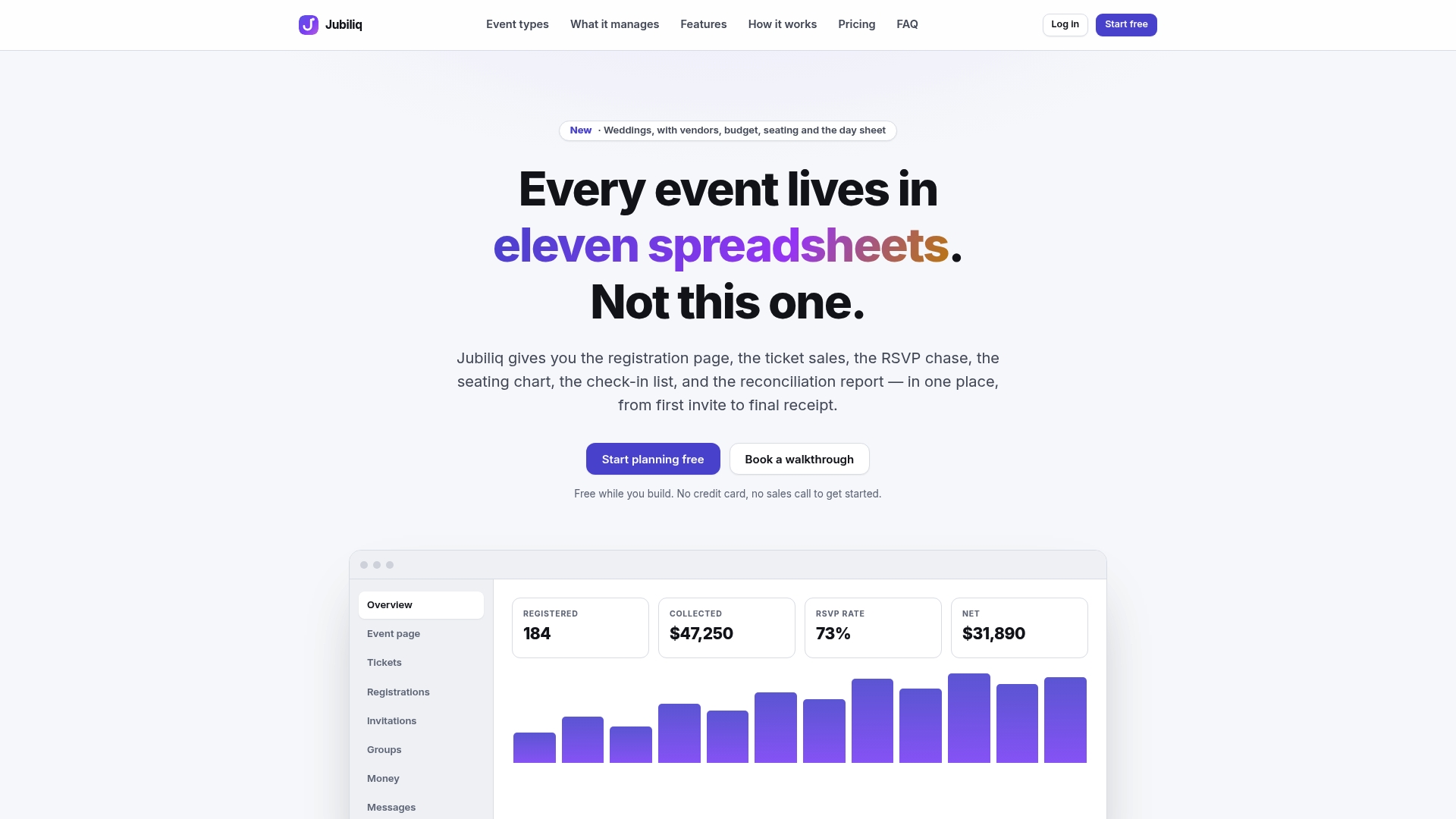
Because event platforms consolidate RSVP and ticket data, segment email blasts, and refund tracking in one adaptive interface, organizers are not toggling between multiple systems to figure out who’s been notified and who’s been refunded. Real-time updates mean teams see the same cancellation status at the same time, and printable day sheets keep shutdown logistics (vendor confirmations, venue notices) in one place instead of scattered across email threads. For organizers running paid registrations, the platform offers a plan that charges a percentage per paid registration, while events without paid tickets, like weddings or planning-only use, run on a free plan. If your team manages multiple recurring events, there is an enterprise plan available with custom pricing. Check current plan details on the Jubiliq platform before your next event goes live, so the workflow is ready before you ever need to send a cancellation notice.
Sources
- ACCC — Buying tickets to events
- W3C — G164: Providing a stated time within which an online request may be amended or canceled
- Eventbrite — Event Cancellation: Pro Tips to Cancel an Event Gracefully
FAQ
How Do I Politely Cancel an Event?
State the cancellation clearly in your first sentence, apologize briefly without over-explaining, and give attendees a refund timeline and a contact person right away. Politeness in a cancellation email comes from clarity and speed, not from softening the news until it’s confusing.
How Do I Write an Email for Cancellation?
Open with a subject line naming the event and the word “Canceled,” state the cancellation in your first sentence, give a brief reason, and follow with refund details and a support contact. Platforms like Jubiliq can send this as a segmented email blast so VIPs and general attendees get appropriately tailored versions of the same core message.
What Should You Say When an Event Is Canceled?
Say what happened, when refunds will process, and who to contact with questions, all within the first few lines. Avoid vague language like “we’re reassessing” if the decision is final. Ambiguity is what generates the most follow-up support requests.
What’s a Professional Way to Say “Canceled”?
“[Event Name] Is Canceled” or “We’re Canceling [Event Name]” both work; the professional standard is directness, not euphemism. Terms like “postponed indefinitely” should only be used if you genuinely mean postponed, not as a softer stand-in for canceled.
How Soon Should I Send the Cancellation Notice?
Send it as soon as your decision is final, ideally within 24 hours of confirming it, according to Eventbrite’s cancellation guidance. For same-day or urgent cancellations, back up the email with SMS or phone outreach to VIPs and high-value ticket holders.